Navigation for Google Maps Go: Voice-Guided Turn-by-Turn Navigation
Navigation for Google Maps Go is a free Travel & Local app by Google LLC that lets you get real-time, voice-guided turn-by-turn navigation for Google Maps Go on low-memory phones.
Navigation for Google Maps Go is a 23 MB companion app that requires Android 4.4 or higher and works only after you search for directions in Google Maps Go. It provides turn-by-turn navigation for driving, walking, cycling, and motorcycles, with route storage for offline continuity and voice guidance in over 50 languages.
Screenshots

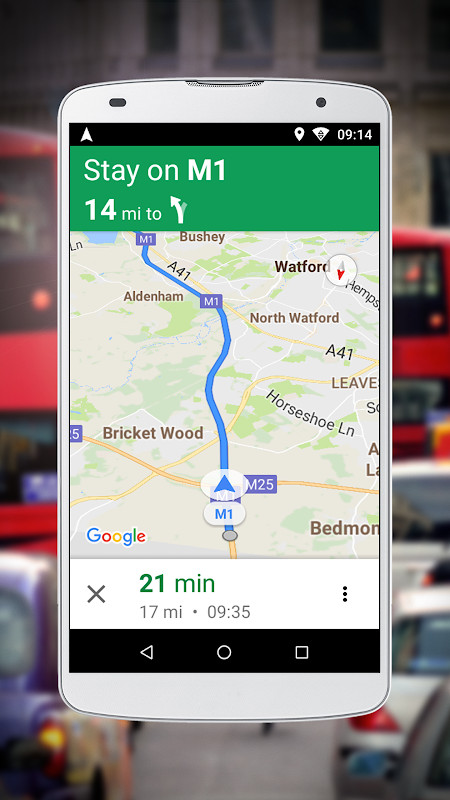
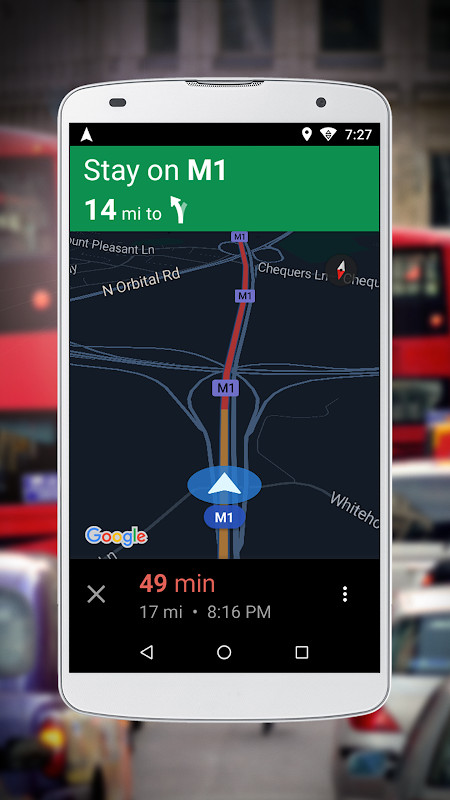
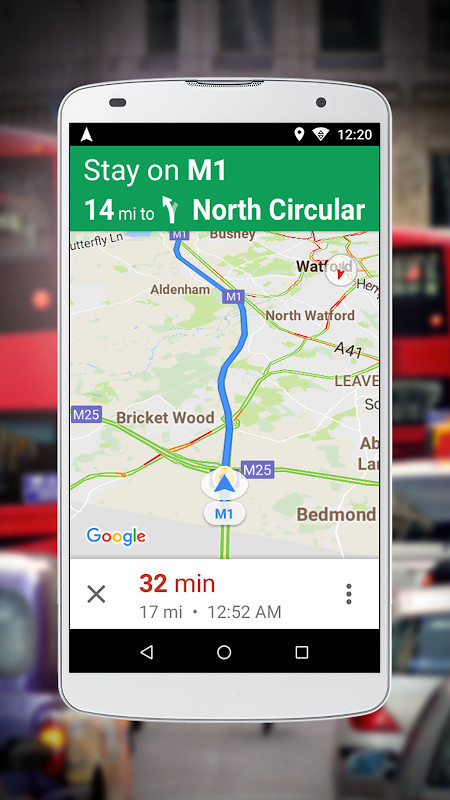
Navigation for Google Maps Go is a companion utility by Google LLC that adds voice-guided, turn-by-turn GPS navigation to the lightweight Google Maps Go app. It is designed specifically for devices with limited memory, delivering real-time directions for driving, walking, cycling, and motorcycles where supported. The app cannot run standalone; you must first search for directions in Google Maps Go and then tap the Navigation button to launch it. This workflow keeps the main mapping app lean while offloading the heavier navigation workload to this add-on. Version 10.74.3, updated on 2025-11-25, continues the core function of providing reliable navigation without introducing major interface changes, focusing instead on performance stability for low-memory handsets. The app stores your route so that navigation persists even if you temporarily lose network connectivity, which is useful in areas with spotty coverage. Voice guidance is available in more than 50 languages, making it a versatile tool for travelers and daily commuters alike. While it does not replace the full-featured Google Maps experience, it brings the essential navigation quality of that platform to budget phones and older devices. The companion nature means you need both apps installed, but the combined footprint is still modest, with this component taking up about 23 MB.
Key features
- Real-time turn-by-turn navigation when paired with Google Maps Go
- Voice-guided directions in over 50 languages
- Optimized performance for phones with limited memory
- Supports driving, walking, cycling, and motorcycle routes where available
- Route storage for continuous navigation during network loss
- Launches directly from the Google Maps Go Navigation button
How to install
- Tap the download button on this page to get the APK file, which is about 23 MB.
- When Android prompts you, allow your browser or file manager to install apps by enabling the 'Install unknown apps' setting for that app.
- Open the downloaded APK file from your notifications or file manager.
- Tap Install and wait for the installation to complete.
- Open the app from your app drawer, then launch Google Maps Go and search for directions to start navigation.
Pros
- Very light on system resources, ideal for low-memory phones
- Voice guidance works in many languages
- Navigation continues even without an active connection
- Direct integration with Google Maps Go simplifies the workflow
Cons
- Cannot be used as a standalone navigation app
- Requires Google Maps Go to be installed as a prerequisite
- No offline map downloads, only route caching
Latest changes · 10.74.3
Version 10.74.3, dated 2025-11-25, is a 23 MB update requiring Android 4.4 or higher. Release notes describe voice-guided navigation for Google Maps Go aimed at low-memory phones. The companion app starts only after a directions search in Google Maps Go. Earlier listed versions were 10.74.1 (2021-09-04) and 10.55.0 (2021-08-10).
Older versions
| Version | Size | Requires Android | Updated |
|---|---|---|---|
| 10.74.3 | 23 MB | 4.4 | Nov 25, 2025 |
| 10.74.1 | 23 MB | 4.4 | Sep 4, 2021 |
| 10.55.0 | 22 MB | 4.4 | Aug 10, 2021 |
This app suits users with older or budget Android phones that struggle with heavy navigation apps, frequent travelers who need reliable voice directions in multiple languages, and anyone who prefers a minimal footprint while still getting turn-by-turn guidance.
Before heading out, search for your route in Google Maps Go while you have a stable connection so the route is cached and navigation remains smooth even if signal drops mid-trip.
Permissions
FAQ
How do I install the APK on Android?
Download the APK file and open it on your device. Allow installation from unknown sources if prompted, then follow the on-screen steps. The app requires Android 4.4 or newer.
What is the current version and when was it updated?
The current version is 10.74.3, released on November 25, 2025. Earlier versions include 10.74.1 from September 2021 and 10.55.0 from August 2021.
Is the app free and does it contain ads or in-app purchases?
The app is free to download and use. It does not mention any in-app purchases or ad-supported content in its listing.
Can I use navigation offline?
Yes, the app stores your route so you can continue getting navigation even if you lose network connectivity. It also provides turn-by-turn guidance for driving, walking, cycling, and motorcycles where available.
What alternatives exist in the same category?
Several navigation and travel apps are available in the Travel & Local category. However, this app is designed specifically as a companion for Google Maps Go, offering optimized performance on low-memory phones.
Does the app work as a standalone navigation app?
No, it cannot be used separately. You must first search for directions in Google Maps Go, then tap the Navigation button to launch this companion app.
Navigation for Google Maps Go fills a specific niche by bringing essential turn-by-turn voice guidance to devices where the full Google Maps app would be too demanding. Its reliance on the companion app is a trade-off, but for low-memory phones it delivers dependable performance, broad language support, and useful offline route persistence, making it a practical choice for budget hardware.
Similar apps






More from this developer






Updated: Nov 14, 2026
| Version | Size | Requires Android | Updated |
|---|---|---|---|
| 10.74.3 | 23 MB | 4.4 | Nov 25, 2025 |
| 10.74.1 | 23 MB | 4.4 | Sep 4, 2021 |
| 10.55.0 | 22 MB | 4.4 | Aug 10, 2021 |
- Version
- 10.74.3
- Size
- 23 MB
- Requires Android
- 4.4
- Updated
- Nov 25, 2025
- Installs
- 500M+
- Rating
- ★ 3.75 (24)
- Category
- Travel & Maps
- Developer
- Google LLC
- Content rating
- Everyone
- Package
- com.google.android.apps.navlite
- Free
- ✓