Google Health (Fitbit): Health and Fitness Tracker
Google Health (Fitbit) is a health and fitness app by Google LLC that tracks activity, sleep, and wellness with personalized AI coaching.
Google Health (Fitbit) combines fitness, sleep, and wellness tracking in one app, offering personalized AI fitness plans and sleep insights built with Gemini. It is designed for anyone wanting to monitor daily health metrics, sync wearables, and follow guided coaching, with optional Premium features.
Screenshots
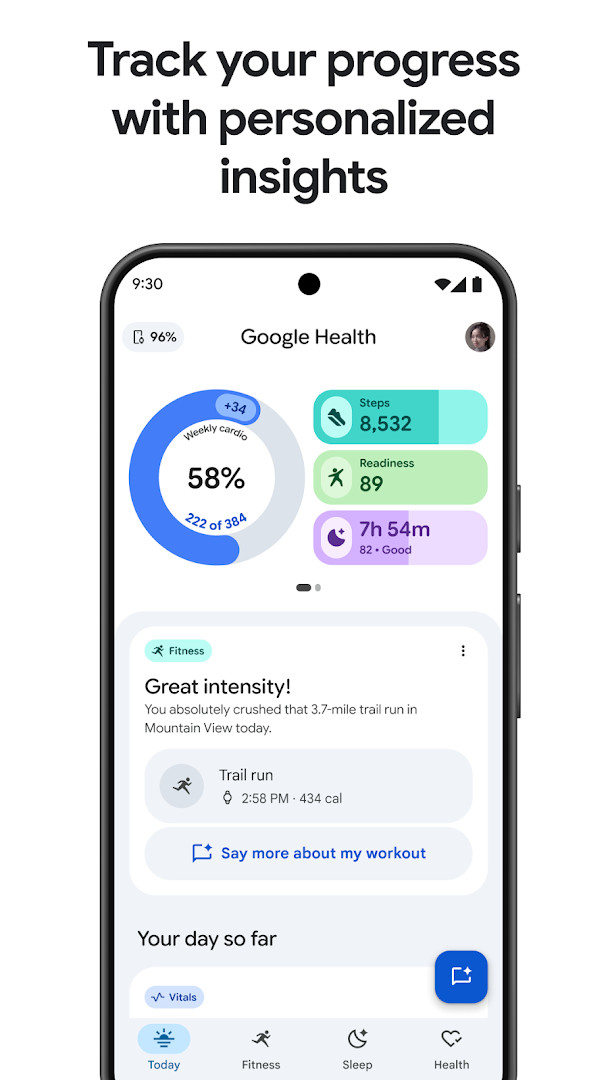
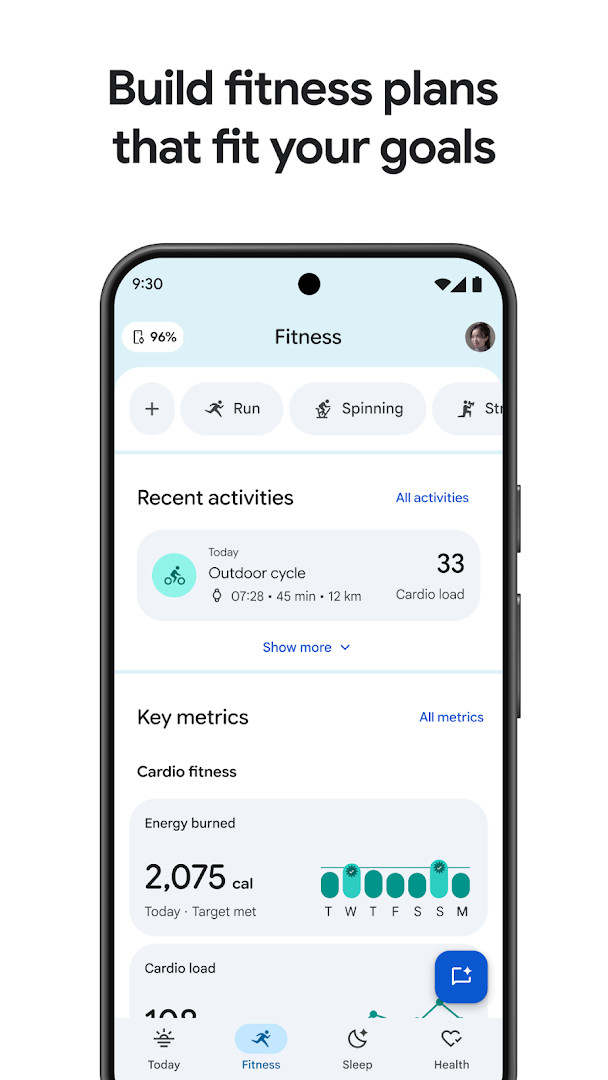
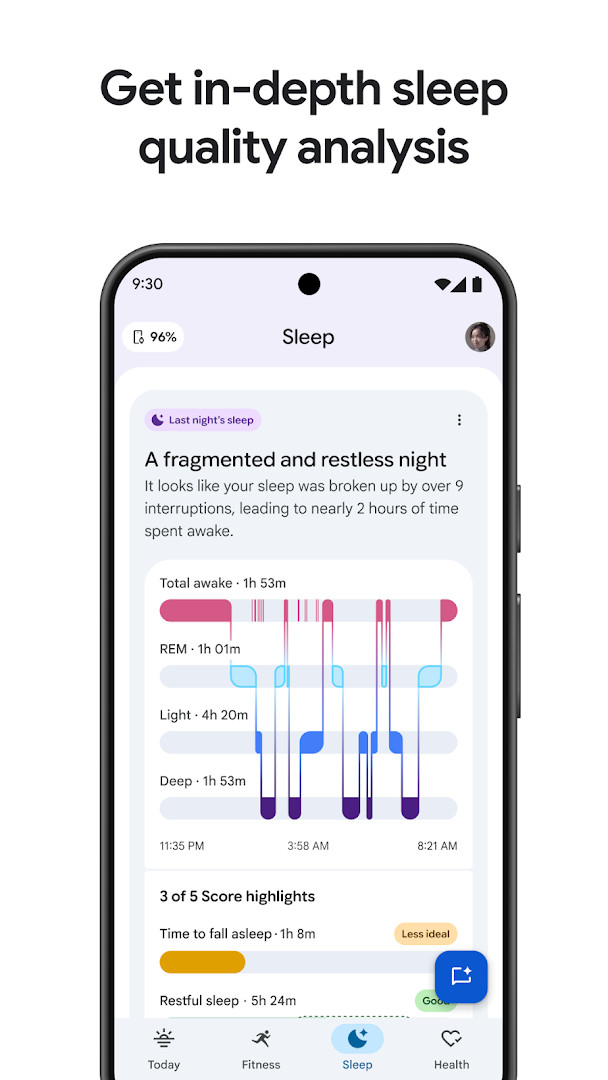
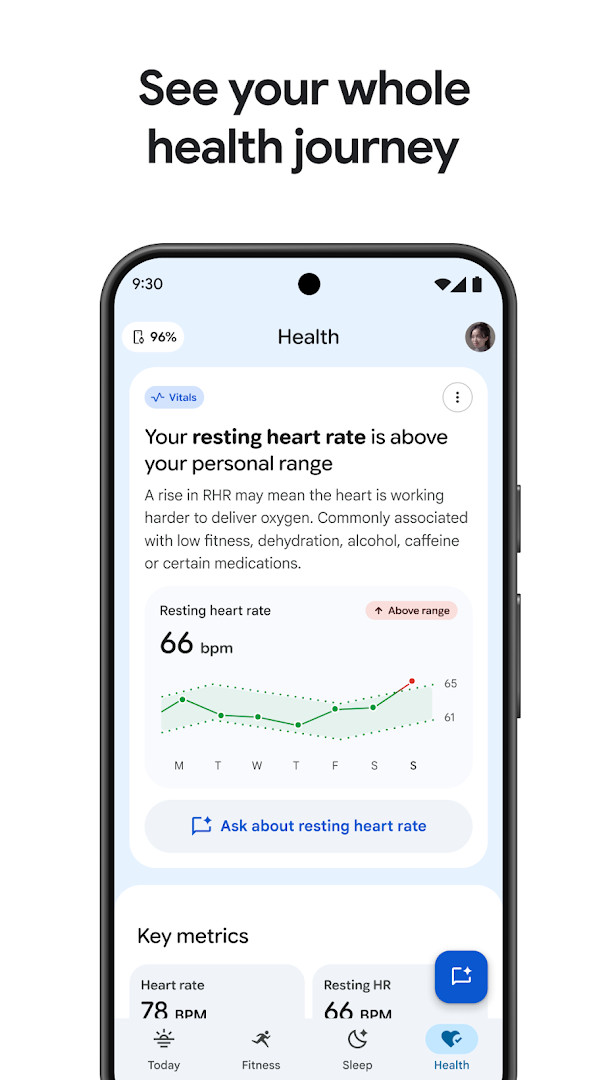
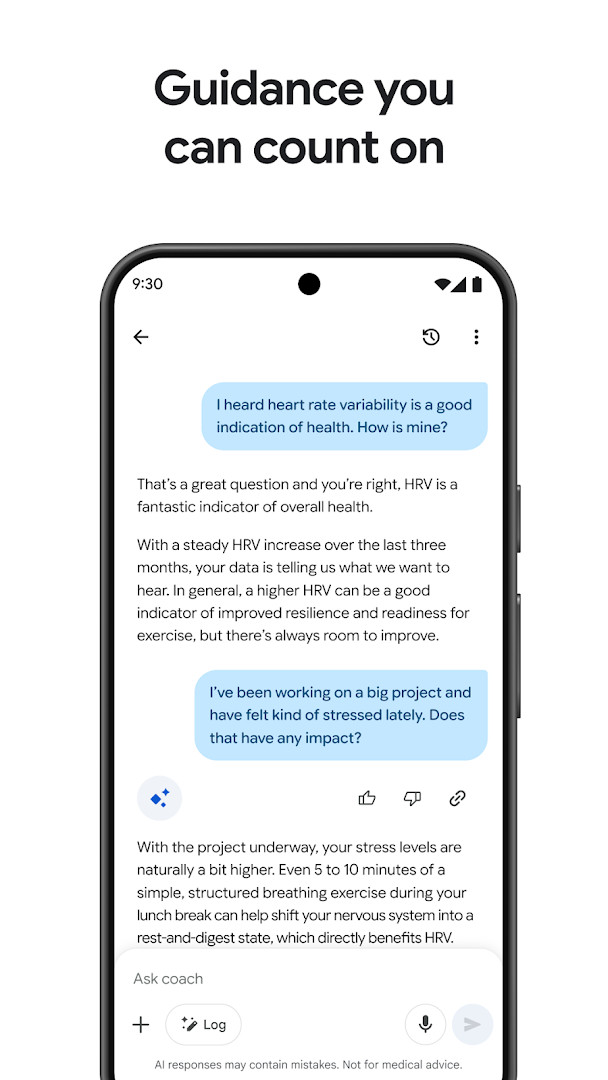
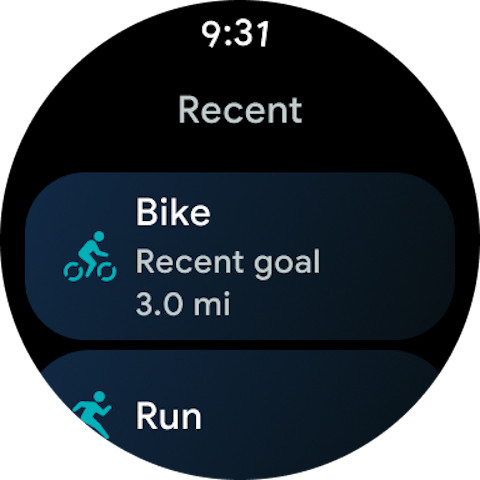
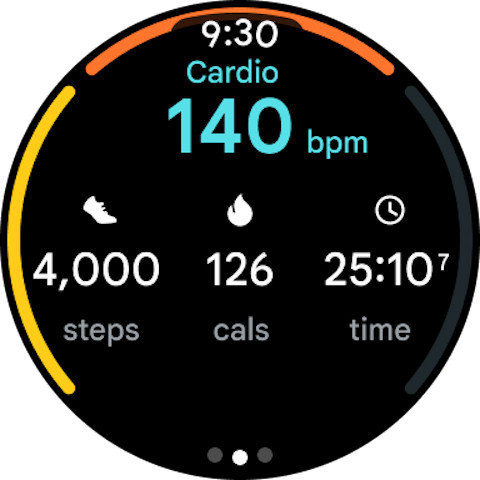
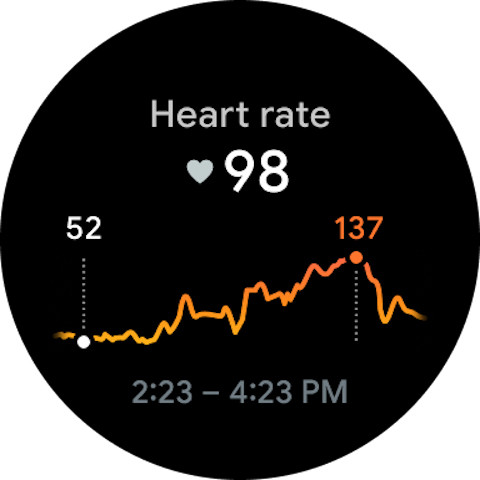
Google Health (Fitbit) is a health and fitness app by Google LLC that acts as a personal coach, combining activity, sleep, and nutrition tracking in a single place. Originally launched more than a decade ago as a fitness companion, it has grown into a broader wellness hub that captures daily trends and turns them into practical suggestions. The app gives users one dashboard for workouts, nightly rest, meals, water intake, and cycle data, so patterns become easier to spot and act on. In everyday use, the app pulls together information from compatible wearable devices, manual entries, and other health tracking sources, making it a convenient home base for anyone trying to stay on top of their well-being. The most recent update concentrates on stability and resolving minor bugs, meaning the focus is on smoother performance and more reliable syncing rather than a batch of flashy new features. That said, the core experience remains rich, with personalized workout plans, sleep-stage analysis, and proactive notifications that highlight meaningful changes in your data. The defining element is the integrated AI coach built with Gemini, which interprets sleep patterns, creates fitness plans around individual goals, and lets users ask follow-up questions about any insight. While some of those coaching capabilities are tied to a premium subscription and may not be available everywhere, the essential tracking and guidance functions remain open to all users, and the app keeps a strong emphasis on privacy with built-in security and adjustable settings.
Key features
- Personalized workout plans based on goals such as weight loss, muscle building, or better cardio
- AI-driven sleep analysis that identifies stages, interruptions, and long-term trends
- Daily notifications that spotlight patterns and celebrate achievements based on your unique ranges
- Menstrual cycle tracking and insights into how each phase affects your routine
- A centralized dashboard for fitness, sleep, nutrition, hydration, and other health metrics
- Follow-up questions with the AI coach to better understand each insight
- Optional syncing with Fitbit and other compatible health tracking apps
- Built-in privacy controls and encrypted handling of personal health data
How to install
- Tap the download button on this page to get the APK file, which is about 138 MB in size.
- When Android asks, allow your browser or file manager to install apps by enabling the "Install unknown apps" setting.
- Open the downloaded APK file from your notifications or file manager.
- Tap Install and wait for the process to finish; Android 9 or newer is required.
- Open the app, log in, and grant only the permissions you are comfortable with.
Pros
- Free to download with no advertisements
- Combines many types of health data in one clear view
- Practical AI coaching with follow-up questions
- Useful sleep insights and personalized schedule suggestions
- Transparent privacy controls and secure data storage
- Regular updates focused on improving stability
Cons
- Some coaching features require a premium subscription
- AI-powered guidance is not available in all countries
- Requests a broad set of permissions during setup
- Not intended for medical diagnosis or treatment decisions
Latest changes
The latest update focuses on general stability improvements and bug fixes, ensuring smoother performance and reliability for existing users. No new features or major changes were introduced in this release. The app, previously known as the Fitbit App, continues to operate under the Google Health branding. The update was released on November 19, 2026. It maintains its core functionality of personalized health tracking and coaching, with an emphasis on data privacy and security. Users can expect a more stable experience with fewer glitches, but the overall feature set remains unchanged.
Older versions
| Version | Size | Requires Android | Updated |
|---|---|---|---|
| 4.14.fitbit-mobile-110045073-617559692 | 138 MB | 9 | Mar 17, 2025 |
| 3.2 | 62 MB | 5.0 | Feb 7, 2020 |
| 1.9.6 | 15 MB | — | Jun 22, 2014 |
People who want an all-in-one daily wellness companion, owners of Fitbit or other compatible wearable devices, and anyone looking for structured sleep and workout guidance without juggling several separate apps.
For the most accurate sleep and heart data, pair the app with a compatible wearable; phone-only tracking still covers steps, workouts, and food logging, but wearable data makes the insights noticeably richer.
Permissions
FAQ
Is Google Health (Fitbit) free to download?
Yes, the app is free, priced at $0.00, and contains no ads. While the core app is free, it offers optional in-app purchases, and some features such as Google Health Coach require a Google Health Premium subscription sold separately, where available.
Which Android version and file size do I need?
The app requires Android 9 (API 28) or higher. The APK file size is 138 MB, so make sure you have enough free space on your device before installing.
Does the app require an account?
Yes, you will need to sign in with a Google account. The app is built around syncing and keeping your fitness, sleep, and wellness data in one place, so an account is used to store your information and personalize your coaching experience.
What permissions does Google Health request?
The app requests access to several categories: Identity, Calendar, Contacts, Location, SMS, Phone, Photos/Media/Files, Storage, Camera, Microphone, Wi-Fi connection information, Device ID & call information, and Wearable sensors/Activity data. These permissions support features like activity tracking, device syncing, and media handling.
How do I update Google Health (Fitbit)?
To update, simply download and install the newest version available on this page over your current installation. Updates typically include general stability improvements and bug fixes, and your existing data will be kept intact.
Can I sync Google Health with my wearable devices?
Yes, Google Health can sync with your Fitbit device, Pixel Watch, compatible health tracking apps, and medical records (available in select countries). This allows you to log metrics like sleep, workouts, nutrition, and menstrual cycles in one place.
Google Health (Fitbit) delivers a well-rounded tracking experience with genuinely helpful AI coaching, but the most advanced features sit behind a paid subscription. If you value consolidated health data, clear insights, and do not mind optional premium upgrades, it is a reliable everyday companion for your wellness routine.
Similar apps
 YouTubeGoogle LLC3.8
 Google WalletGoogle LLC4.3
 Lose Weight App for MenLeap Fitness Group4.9
 Six Pack in 30 DaysLeap Fitness Group4.9
 Sweatcoin・Walking Step CounterSweatco Ltd4.5
 Home Workout - No EquipmentLeap Fitness Group4.9
 Period Calendar Period TrackerSimple Design Ltd.4.9
 Flo Ovulation & Period TrackerFlo Health Inc.4.7
More from this developer




Updated: Nov 20, 2026
| Version | Size | Requires Android | Updated |
|---|---|---|---|
| 4.14.fitbit-mobile-110045073-617559692 | 138 MB | 9 | Mar 17, 2025 |
| 3.2 | 62 MB | 5.0 | Feb 7, 2020 |
| 1.9.6 | 15 MB | — | Jun 22, 2014 |
- Size
- 138 MB
- Requires Android
- 9
- Updated
- Nov 19, 2026
- Installs
- 100M+
- Rating
- ★ 3.6 (1,332,331)
- Category
- Health & Fitness
- Developer
- Google LLC
- Content rating
- Everyone
- Package
- com.fitbit.FitbitMobile
- Free
- ✓ · In-app purchases