
Phonto - Text on Photos: text overlay editor
Phonto - Text on Photos is an Art & Design app by youthhr that lets you add text to photos.
Phonto - Text on Photos is a free app with over 200 built-in fonts and the ability to install additional ones. It offers adjustable text size, color, shadow, rotation, stroke, background, letter spacing, line spacing, and blend mode.
Screenshots
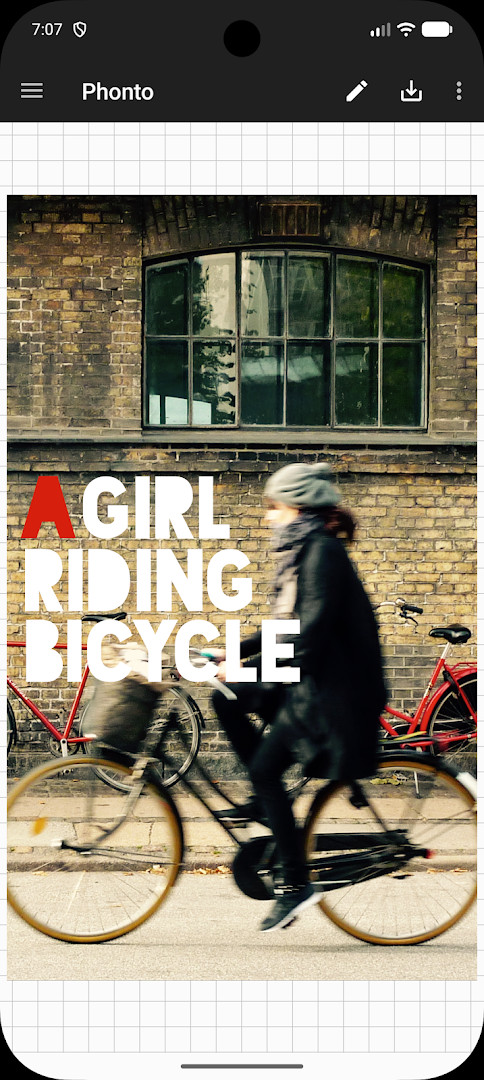
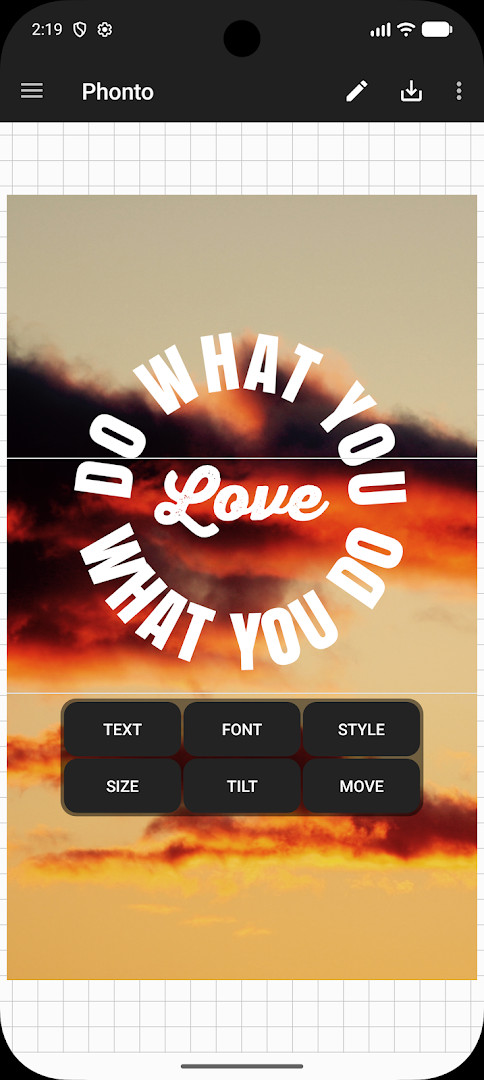

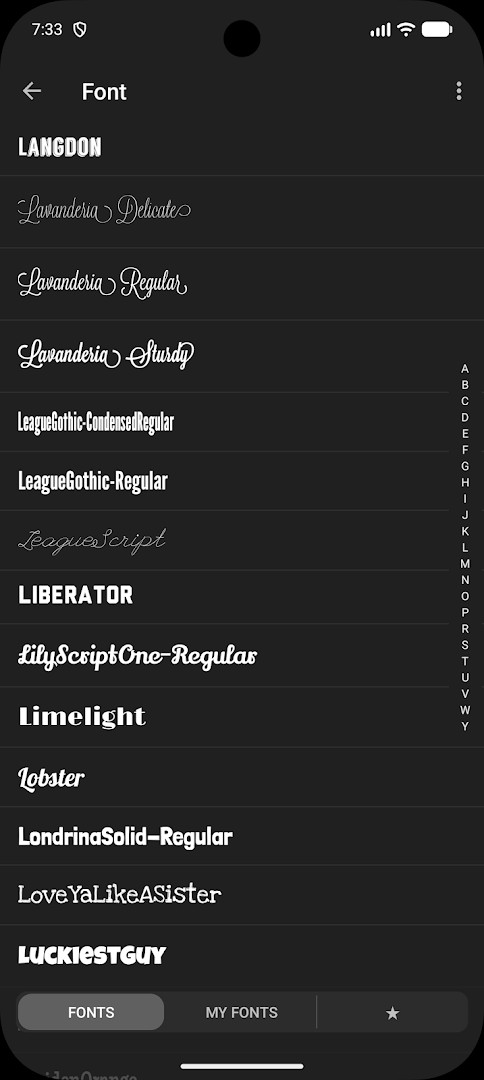
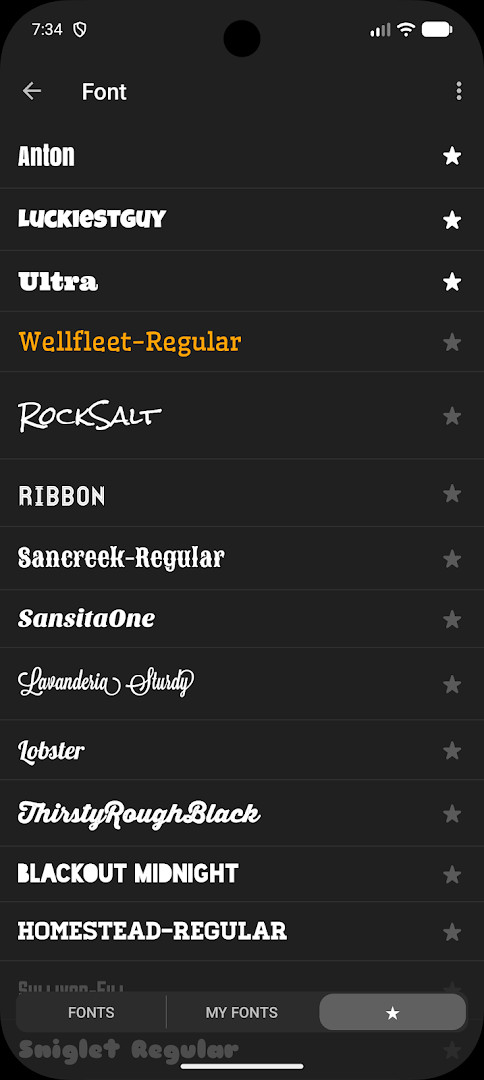
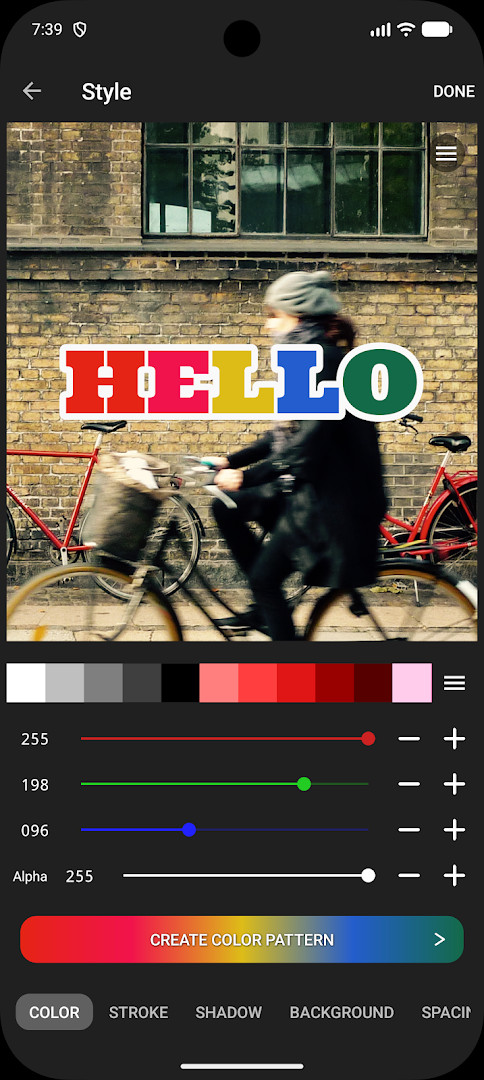
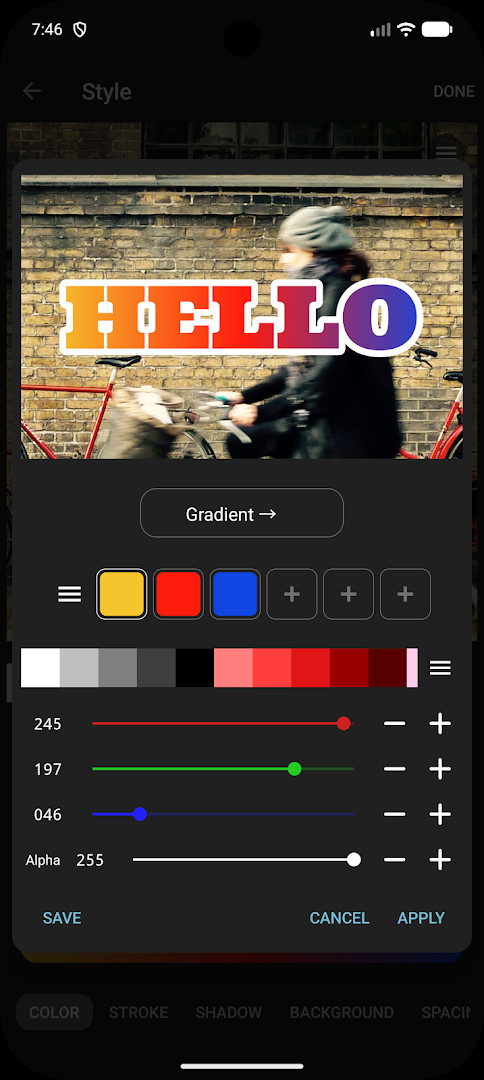
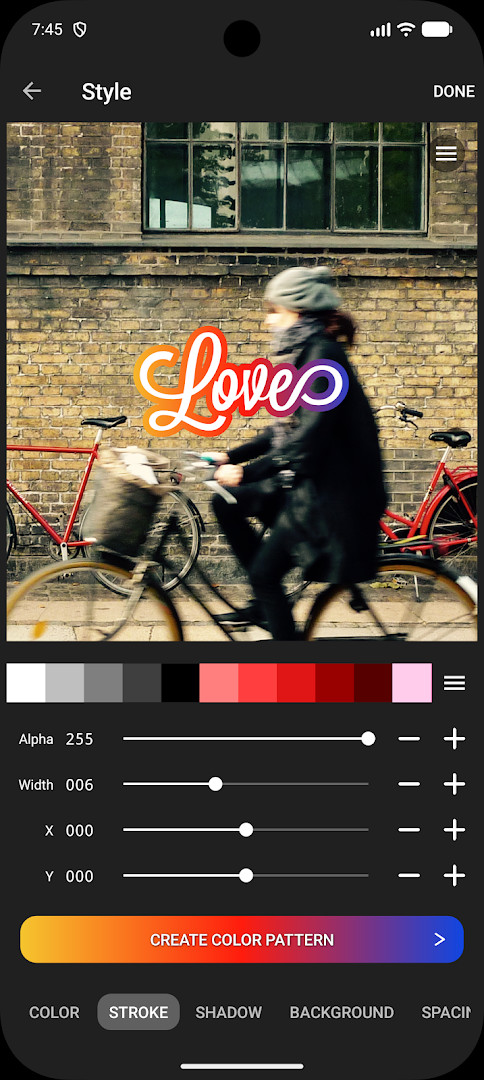
Phonto - Text on Photos is a photo editing utility by youthhr that lets you place custom text onto your images. At its core, the app is designed for anyone who wants to add captions, titles, quotes, or decorative lettering to pictures without needing complex editing skills. Since its original release in 2012, it has grown into a widely used tool, with over 50 million installs and a rating of 4.73 based on more than 568,000 user reviews. The current version, 1.7.140, was updated on October 13, 2026, and continues the app's focus on simplicity while offering a surprisingly deep set of text customization options. The interface is straightforward: you pick a photo from your gallery, tap to add a text box, type your words, and then adjust the look using the many controls available. For beginners, this means you can achieve polished results in just a few minutes, even if you have never edited a photo before. The app is free to use, though it does contain advertisements and offers an optional in-app purchase to remove them. It also includes in-app purchases for additional features, but the core text-on-photo functionality is accessible without paying anything. Version 1.7.140 does not introduce a major redesign; instead, it refines the existing experience, ensuring stability and compatibility with current Android devices. The minimum operating system required is Android 10, so most modern phones and tablets will run it without issues. Whether you are making social media posts, personalized greeting cards, or simple labels for your photos, Phonto gives you the essential tools to do so. The learning curve is gentle, and the app avoids overwhelming you with dozens of unrelated editing features. Instead, it stays focused on one task: putting text on pictures in a way that looks good and is easy to control.
Key features
- Over 200 built-in fonts to choose from, covering a wide range of styles
- Ability to install additional fonts from external files such as TTF or OTF
- Adjustable text size, color, and shadow for full visual control
- Rotate text freely to any angle for creative placement
- Customize stroke color and width to outline your text
- Change text background color to improve readability
- Control letter spacing and line spacing for precise typography
- Use blend modes to merge text with the photo in different ways
- Optional in-app purchase to remove all advertisements
- Simple tap-to-add text interface suitable for beginners
How to install
- Tap the download button on this page to get the APK file for Phonto - Text on Photos. The file size is not specified, so ensure your device has sufficient free space.
- Before opening the downloaded file, go to your Android settings and allow your browser or file manager to install apps. Look for the 'Install unknown apps' permission and enable it for the app you used to download.
- Locate the downloaded APK file in your notifications or file manager, and tap on it to start the installation process.
- A system prompt will appear asking for confirmation; tap the 'Install' button to proceed. The app requires Android version 10 or higher to run.
- After installation finishes, tap 'Open' to launch Phonto, or find its icon in your app drawer to start adding text to your photos.
Pros
- Very easy to use, making it ideal for beginners with no editing experience
- Huge selection of fonts and the ability to add your own
- Many text formatting options like stroke, shadow, and spacing
- Free to download and use for basic features
- Lightweight and focused on a single purpose, avoiding clutter
Cons
- Contains advertisements, which can be distracting until you pay for removal
- Some advanced features may require in-app purchases
- Limited to text editing, so it does not offer other photo editing tools
- Installing custom fonts requires a few extra steps that may confuse new users
Older versions
| Version | Size | Requires Android | Updated |
|---|---|---|---|
| 1.7.140 | — | 10 | Oct 13, 2026 |
This app is great for social media enthusiasts who want to add catchy captions to their posts, for casual users who need to label or annotate photos quickly, and for beginners who want a simple tool to create personalized images without learning complex software.
If you plan to use custom fonts, always check the font's license before installing, and remember that you can open font files directly in Phonto from your file manager to add them to your collection.
FAQ
Is Phonto free to download and use?
Yes, the app is free to download. It includes optional in-app purchases, such as an ad-free option that removes advertisements.
What Android version is required?
Phonto requires Android 10 or higher to run.
Do I need an account to use Phonto?
No account is required. You can start adding text to your photos immediately after installing the app.
What permissions does Phonto request?
The app needs access to your photos so you can select images to edit and save your finished work. No other sensitive permissions are mentioned.
How do I update Phonto?
To update, simply download the newest version from this page and install it over your current installation. Your saved projects and settings will be preserved.
Can I add my own fonts to Phonto?
Yes, you can install additional fonts. Download a font file (such as .ttf or .otf) and open it with Phonto to add it to your collection.
Phonto - Text on Photos is a reliable and beginner-friendly choice for adding text to images, offering a robust set of typography tools despite its simple appearance. The presence of ads and optional purchases is a minor drawback, but the free core experience is solid and well-regarded by millions of users. For anyone looking to quickly enhance photos with words, this app delivers consistent results without a steep learning curve.
Similar apps




Updated: Nov 2, 2026
| Version | Size | Requires Android | Updated |
|---|---|---|---|
| 1.7.140 | — | 10 | Oct 13, 2026 |
- Version
- 1.7.140
- Requires Android
- 10
- Updated
- Oct 13, 2026
- Installs
- 50M+
- Rating
- ★ 4.73 (568,679)
- Category
- Art & Design
- Developer
- youthhr
- Content rating
- Everyone
- Package
- com.youthhr.phonto
- Free
- ✓ · Contains ads · In-app purchases