Artrace: AR Easy Draw & Sketch: AR drawing and sketching app
Artrace: AR Easy Draw & Sketch is an augmented reality drawing tool by Braly JSC that lets you trace any image through your camera.
Artrace: AR Easy Draw & Sketch is a free camera-based drawing app for beginners and experienced artists, with ads and in-app purchases. It has a 4.58 rating from about 400,742 reviews and over 50 million installs. The app requires Android 7.0 or higher and its current version is 2.0.5, updated on 13 November 2026.
Screenshots
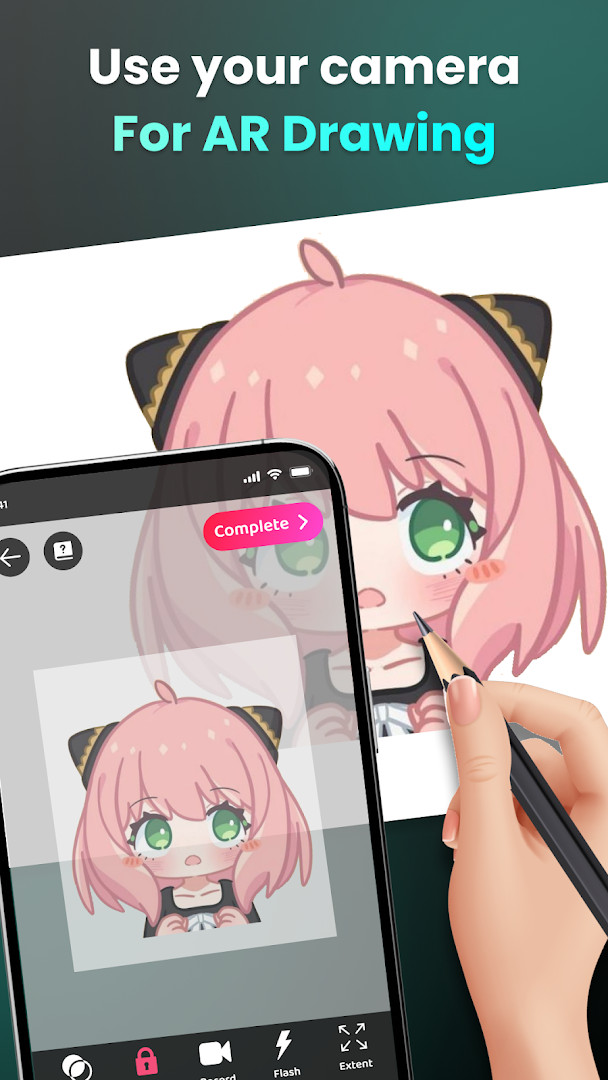
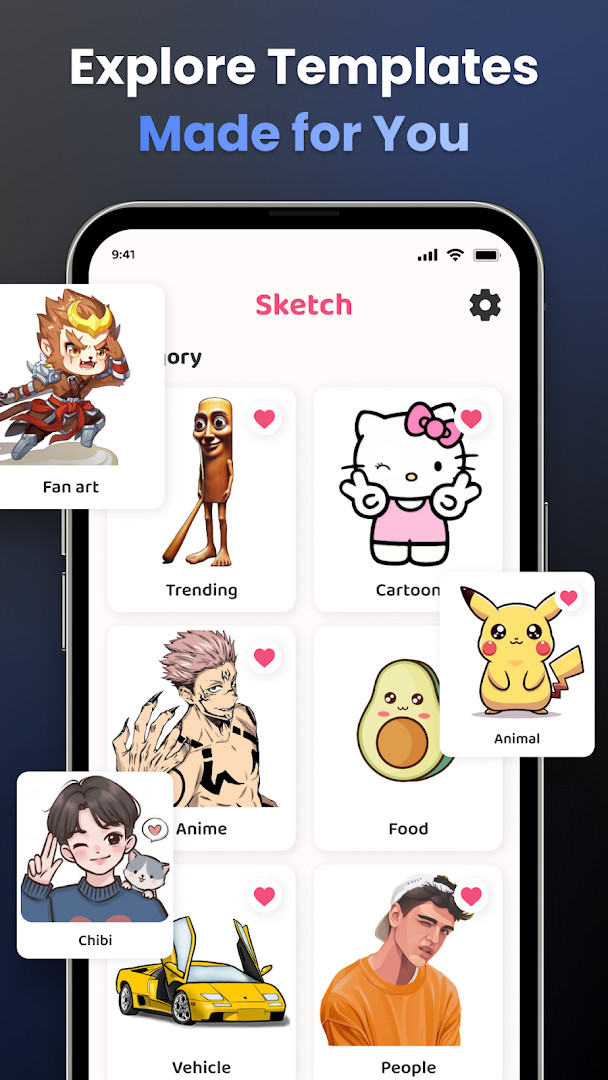
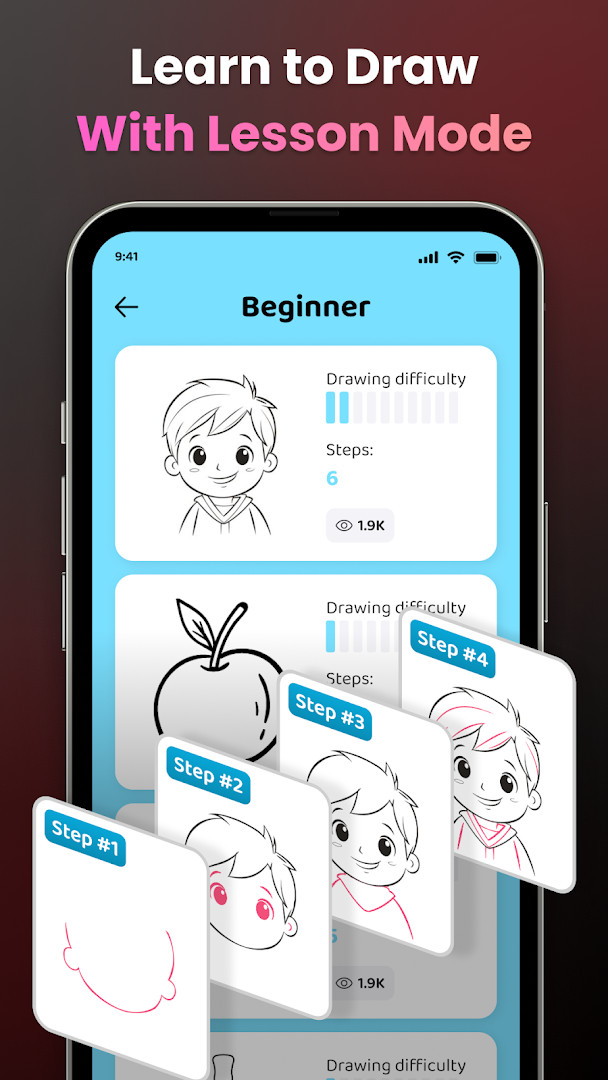
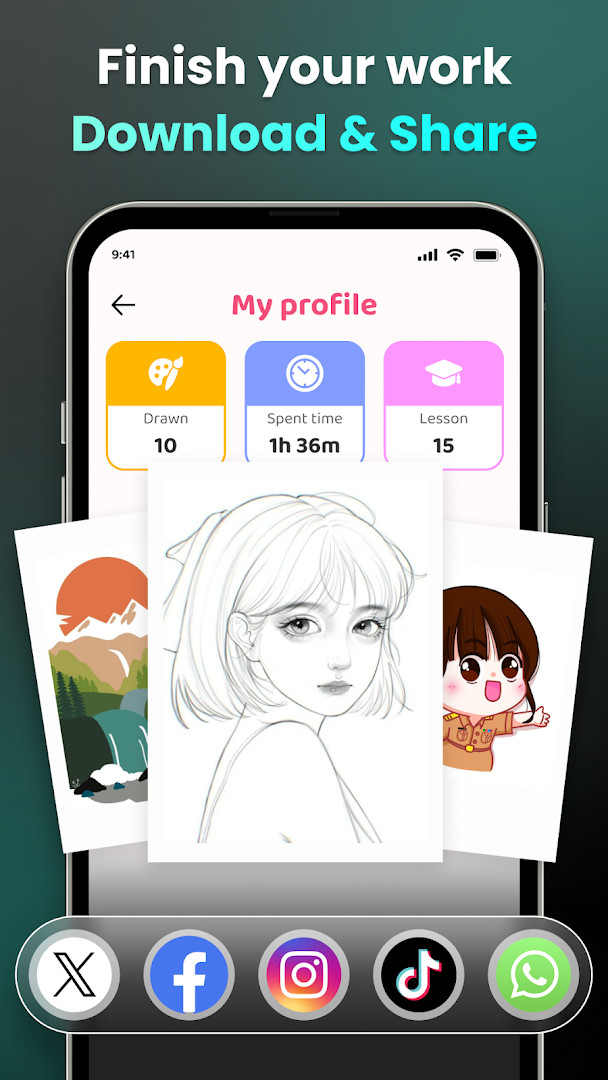
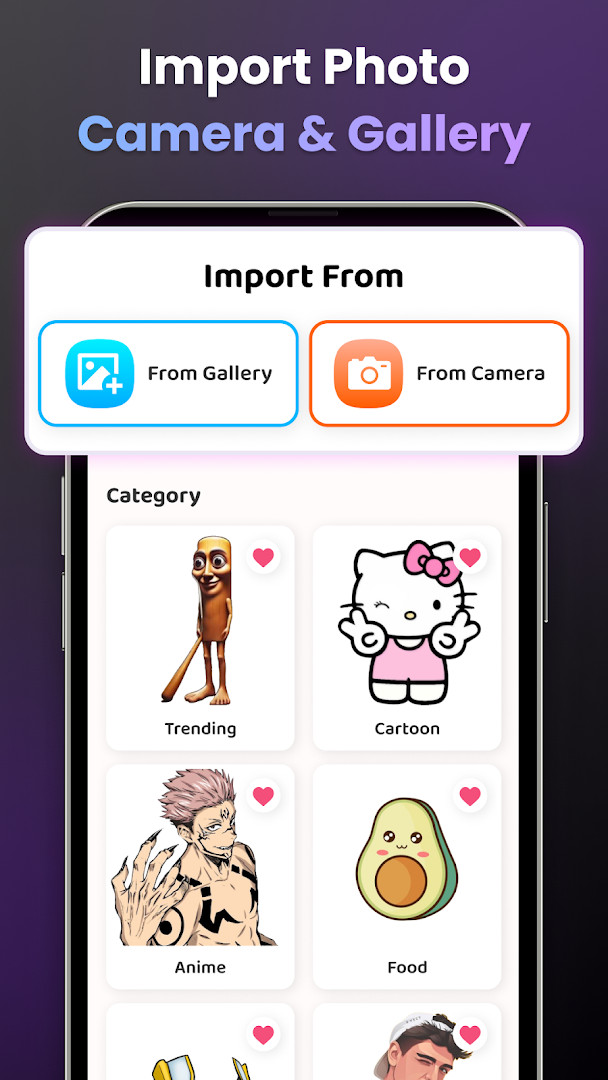
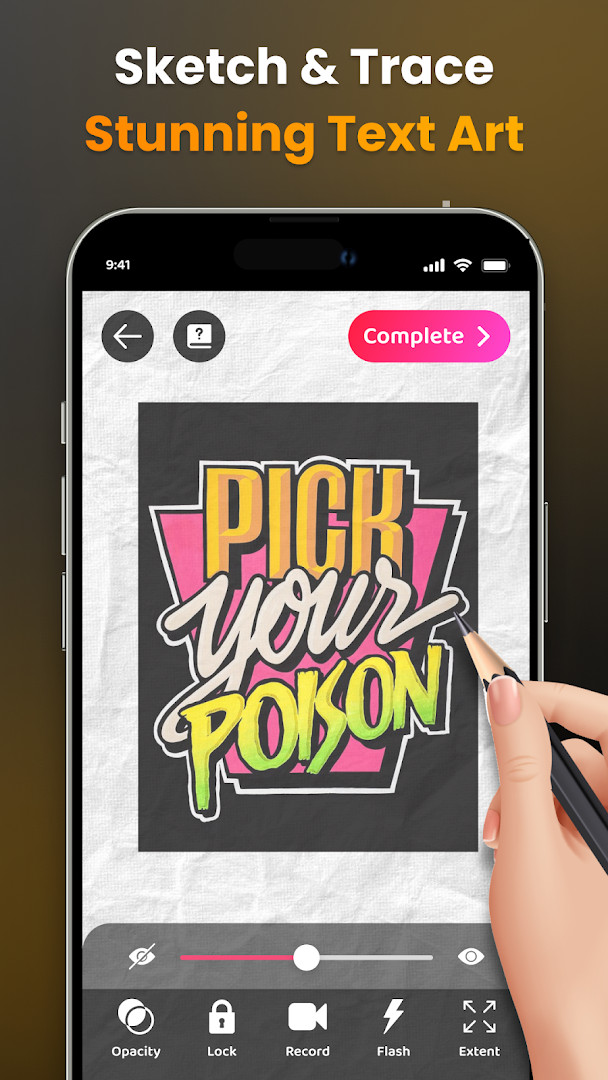
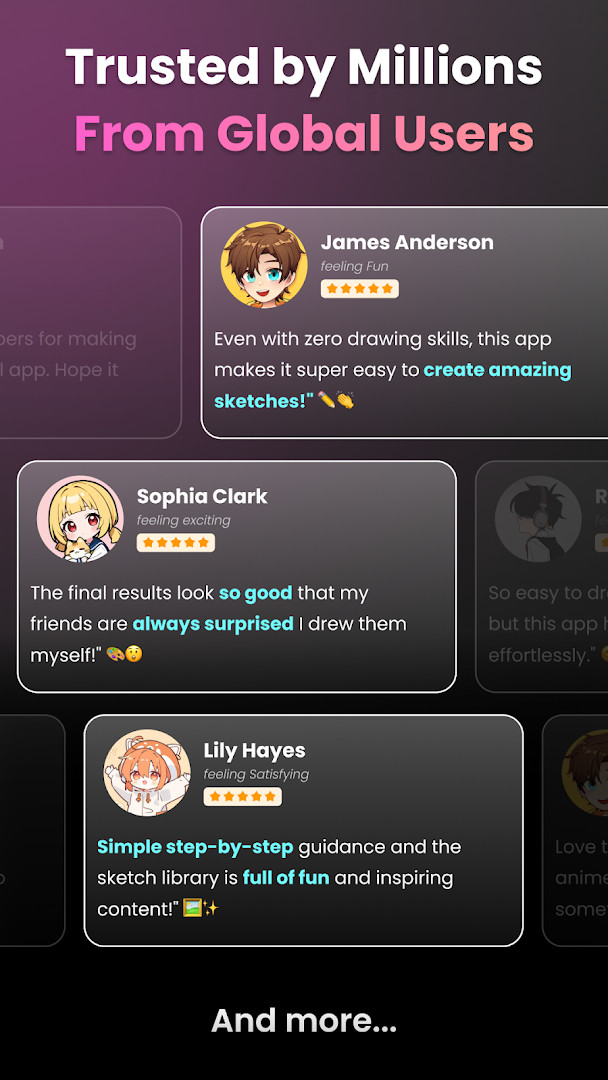
Artrace: AR Easy Draw & Sketch is a camera-based drawing and tracing tool by Braly JSC that uses augmented reality to turn real-world scenes into sketchable outlines. Instead of relying on grid paper or manual proportioning, you place your phone on a stand, look through the viewfinder, and trace whatever appears on screen—whether that is a photo from your gallery, a nearby object, or a character from your favorite anime. The app positions itself as a learning aid as much as a creative toy, with a library of sample images, adjustable opacity, and video recording of your drawing process. For anyone who has struggled with freehand sketching, the core promise is simple: let the camera do the measuring while you focus on the lines. Released in mid-2024, it has grown into a widely used utility, with the community rating hovering around 4.58 from over 400,000 reviews and roughly 50 million installs. The latest update, version 2.0.5 dated November 2026, focuses on performance improvements and bug fixes rather than introducing new features, so the experience should feel smoother on devices running Android 7.0 or newer. That said, the app is ad-supported and offers in-app purchases, so the free tier comes with interruptions and some premium content locked behind payment. The workflow is straightforward: you pick an image, adjust the opacity so the outline is visible through the camera, and then trace onto paper or a digital surface. Advanced options like zoom, flash toggle, and an extend mode give you finer control over what you see. Video tutorials accompany many of the built-in lessons, which is a thoughtful touch for absolute beginners who need step-by-step guidance. The app also tracks your progress through a profile, logging time spent drawing and lessons completed, which adds a gamified layer to practice. Overall, it is less about generating art automatically and more about building hand-eye coordination and muscle memory. For an experienced user comparing alternatives, the key differentiator is the live AR tracing overlay, which most standard drawing apps do not offer. However, the reliance on a physical stand and a stable phone position can be limiting if you prefer working on a tablet or desktop. The sample library is broad—covering anime, animals, food, people, vehicles, and more—so you are unlikely to run out of subject matter quickly. The permission list is worth noting: the app requests location, storage, camera, and Wi-Fi information, which is typical for a camera-based tool but still worth auditing if you are privacy-conscious. In short, Artrace is a practical bridge between reference images and hand-drawn output, especially for learners who want immediate visual feedback without complex setup.
Key features
- Live AR tracing through the camera with adjustable opacity for clear outline visibility
- Import images from your gallery or choose from a built-in sample library covering anime, animals, food, people, vehicles, and more
- Three difficulty levels for lessons, each with progressively challenging exercises
- Record your drawing process as video and download it to share with friends or the community
- Zoom in and out of the reference image, toggle the flash, and use the extend mode to adjust the canvas
- Personal profile that tracks your drawing time, completed lessons, and skill improvement over time
- Step-by-step video tutorials for beginners on how to draw specific pictures
How to install
- Tap the download button on this page to get the APK file; the file size is not specified in the listing, but the minimum Android version required is 7.0.
- When your browser or file manager prompts you, allow installation from unknown sources by enabling the 'Install unknown apps' setting for that app.
- Open the downloaded APK file from your notifications or file manager.
- Tap Install and wait for the installation to complete; this may take a minute depending on your device.
- Once installed, open the app from your home screen or app drawer and grant the requested camera and storage permissions when prompted.
- If you see a warning about the app being from an unknown source, confirm that you trust the file you downloaded and proceed with the install.
Pros
- Excellent for beginners who want to learn proportions and line work without manual measuring
- Large sample library and three difficulty levels keep practice varied
- Video recording of your drawing process is useful for reviewing technique and sharing progress
- Profile tracking adds a motivational element to consistent practice
- Works on devices as old as Android 7.0, so it is accessible to a wide range of hardware
Cons
- Ad-supported, which can interrupt the drawing flow during practice sessions
- Requires a phone stand and a stable position, which may be awkward for tablet or desktop users
- In-app purchases are present, so some lessons or content are locked behind payment
- Requests a broad set of permissions including location and Wi-Fi information, which may concern privacy-minded users
- The 2026 update only addresses performance and bug fixes, so no new features were added in version 2.0.5
Latest changes · 2.0.5
Version 2.0.5 of Artrace: AR Easy Draw & Sketch is now available, with a focus on smoother overall performance. The update also resolves several bugs to improve the general drawing experience. If you have encountered glitches or slowdowns, this release should make things run more reliably.
Older versions
| Version | Size | Requires Android | Updated |
|---|---|---|---|
| 2.0.5 | — | 7.0 | Nov 13, 2026 |
| 1.9.73 | — | 7.0 | Oct 7, 2026 |
Artrace is for hobbyists who want to learn drawing from scratch without formal instruction, anime and cartoon fans who enjoy tracing their favorite characters, and anyone who prefers a camera-based approach over traditional grid methods for copying reference images.
For cleaner tracing, place your phone on a stable stand at eye level and adjust the opacity to around 50% so you can see both the reference and your paper clearly; also, use the zoom feature for fine details on complex subjects like faces or hands.
Permissions
FAQ
Is Artrace: AR Easy Draw & Sketch free to download?
Yes, the app is free to download and use, with no initial purchase cost. It does include ads and offers optional in-app purchases.
What Android version do I need to run the app?
The app requires Android 7.0 or newer. If your device runs this version or later, you should be able to install and use it.
Do I need to create an account to use the app?
No account is required to start drawing. The app offers an optional AR Drawing profile that lets you track your progress, but it is not mandatory for basic use.
What permissions does the app request?
The app asks for access to your camera, location, photos/media/files, storage, and Wi-Fi connection information. These permissions are used for features like drawing through the camera and importing images.
How do I update the app to the latest version?
To update, simply download the newest version available on this page and install it over your current version. The latest release is version 2.0.5, which includes performance improvements and bug fixes.
Can I share my artwork or videos from the app?
Yes, you can share finished artwork and download videos of your drawing process. This makes it easy to show your creations to friends and the community.
Artrace: AR Easy Draw & Sketch is a solid choice for learners who want immediate visual guidance and a low barrier to entry, but experienced artists may find the camera-tracing workflow restrictive and the ads intrusive. It earns its high rating through ease of use and a generous sample library, yet the in-app purchases and broad permissions mean you should weigh the free tier's limitations before committing. Overall, it is a practical tool for building foundational skills, not a replacement for professional drawing software.
Similar apps






Updated: Nov 16, 2026
| Version | Size | Requires Android | Updated |
|---|---|---|---|
| 2.0.5 | — | 7.0 | Nov 13, 2026 |
| 1.9.73 | — | 7.0 | Oct 7, 2026 |
- Version
- 2.0.5
- Requires Android
- 7.0
- Updated
- Nov 13, 2026
- Installs
- 50M+
- Rating
- ★ 4.58 (400,742)
- Category
- Art & Design
- Developer
- Braly JSC
- Content rating
- Everyone
- Package
- com.draw.sketch.ardrawing.trace.anime.paint
- Free
- ✓ · Contains ads · In-app purchases