PaperWise: Scan Images to PDF
PaperWise is a free office app by Aishwarya Prateek that lets you turn images from your camera or gallery into PDF documents.
PaperWise is a free app with a 9.7 MB size and requires Android 5.0 or newer. It has no ads and no in-app purchases, keeping your files stored locally on your device. This tool suits people who need to scan documents, receipts, or notes without extra permissions.
Screenshots
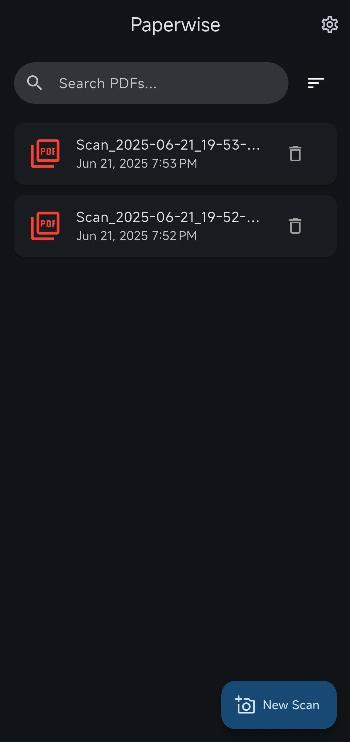
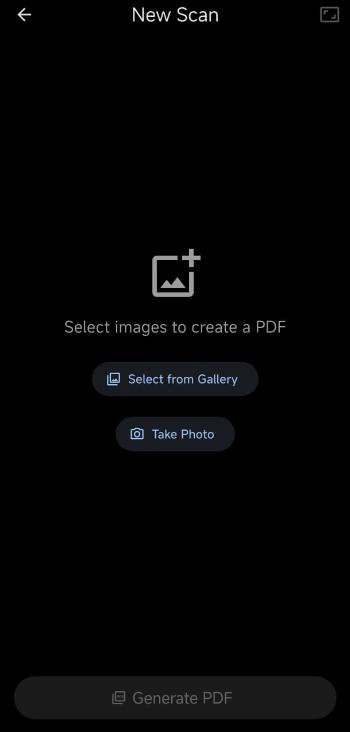
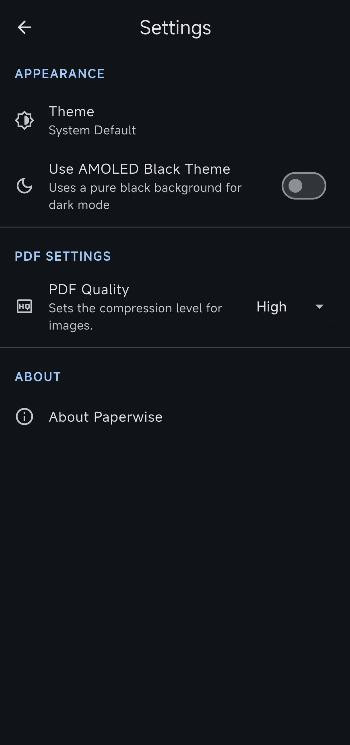
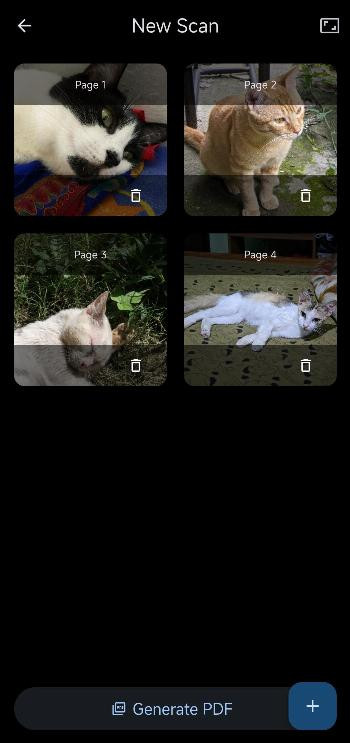
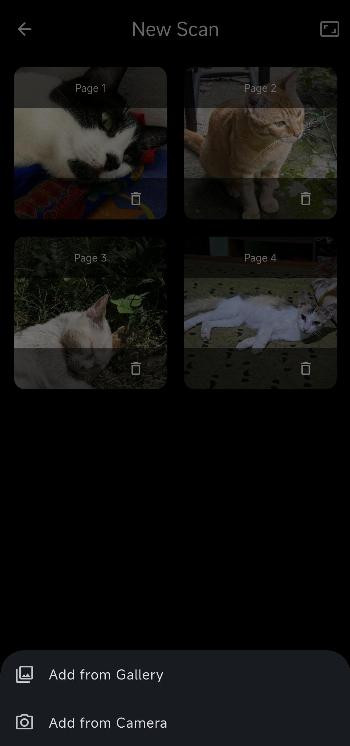
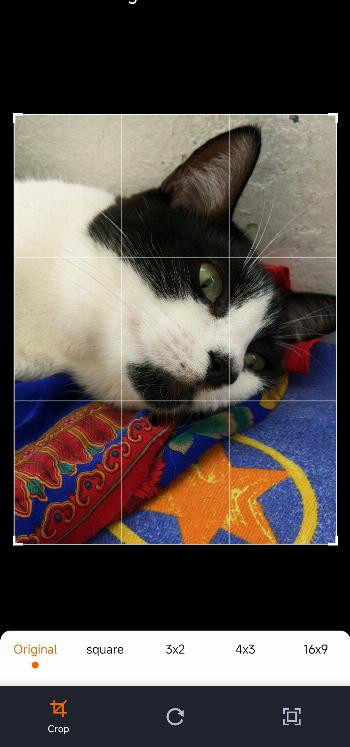
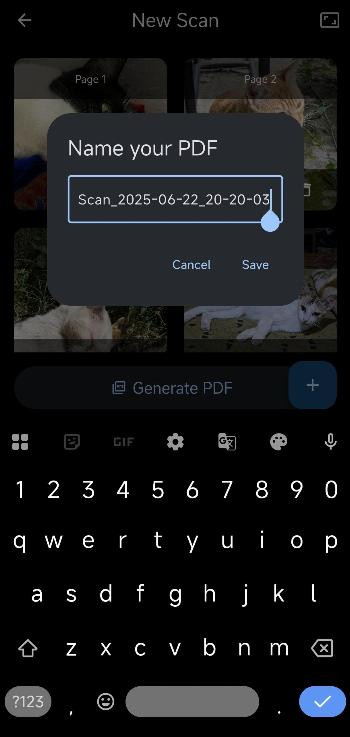
PaperWise is a productivity app by Aishwarya Prateek that turns images from your camera or gallery into PDF documents. It is a free, open-source tool designed for quick scanning of documents, receipts, and notes, with a focus on privacy and simplicity. The app lets you select multiple images, arrange them, and then export a single PDF file, all without displaying ads or requesting unnecessary permissions.
At its core, PaperWise is about giving you control over your scans. You can pick photos from your gallery or capture new ones directly within the app, then reorder, crop, or remove images before generating the final document. You also have options to choose the page size—such as A4, Letter, or Fit to Image—and to adjust the PDF quality to balance file size against clarity. This makes it useful for students digitizing notes, professionals archiving paperwork, or anyone who wants a lightweight scanning tool.
The app is especially appealing to privacy-conscious users because all files are saved locally on your device, meaning you keep ownership of your data. It also includes dark and AMOLED Black themes for comfortable use in low-light settings. With a small footprint of 9.7 MB and support for Android 5.0 and up, PaperWise is a straightforward choice for beginners who need a reliable, no-frills way to create PDFs from images.
Key features
- Pick multiple images from your gallery or take new ones with your camera
- Reorder, crop, and delete images before creating your PDF
- Choose from different page sizes (A4, Letter, Fit to Image) for your document
- Adjust PDF quality to balance file size and clarity
- Dark and AMOLED Black themes for comfortable viewing
- Your files are saved locally and are under your control
How to install
- Tap the download button on this page to get the APK file, which is about 9.7 MB in size.
- When Android prompts you, allow your browser or file manager to install apps by enabling the 'Install unknown apps' setting for that app.
- Open the downloaded APK file from your notifications or file manager.
- Tap Install when the confirmation screen appears, then wait for the installation to finish.
- Open PaperWise from your app drawer; the app works on Android 5.0 and newer versions.
Pros
- Completely free and open-source
- No ads or unnecessary permissions
- Local storage keeps your files private
- Simple interface suitable for beginners
- Multiple page size and quality options
- Dark themes for comfortable viewing
Cons
- No cloud backup or sync features
- Limited to PDF output only
Older versions
| Version | Size | Requires Android | Updated |
|---|---|---|---|
| 3.0.0 | 9.7 MB | 5.0 | Oct 25, 2026 |
| 2.6.5 | 9.5 MB | 5.0 | Sep 28, 2026 |
| 2.6.4 | 9.4 MB | 5.0 | Sep 27, 2026 |
| 2.6.3 | 9.4 MB | 5.0 | Sep 23, 2026 |
PaperWise is for anyone who needs a simple, private way to scan documents, receipts, or notes into PDF files without dealing with ads or complex settings. It suits students, home users, and small office workers who prefer local storage and minimal permissions.
For sharper scans, hold your phone steady and ensure good lighting. Before exporting, use the crop tool to remove unwanted edges. If you plan to share the PDF, try a lower quality setting to reduce file size while keeping text readable.
FAQ
Is PaperWise free to use?
Yes, PaperWise is completely free. It is also open-source and licensed under the MIT license, with no ads or hidden costs.
What Android version do I need to install PaperWise?
PaperWise requires Android 5.0 or higher. The current version is 3.0.0, released on 2026-10-25.
How large is the PaperWise APK file?
The APK file size is 9.7 MB, making it a lightweight download that won't take up much space on your device.
Do I need to create an account to use PaperWise?
No account is required. PaperWise is a privacy-focused app that saves your files locally, so you have full control without any sign-up.
What permissions does PaperWise request?
PaperWise only asks for permissions needed to access your camera and gallery so you can take or select images for creating PDFs. It does not request unnecessary permissions.
How do I update PaperWise?
To update, simply download the newest version available on this page and install it over your current version. Your existing PDFs and settings will remain intact.
PaperWise delivers exactly what it promises: a clean, privacy-focused tool for turning images into PDFs. With its free and open-source nature, local file storage, and straightforward features, it is a solid choice for beginners who value simplicity and control over their documents.
Similar apps






Updated: Nov 11, 2026
| Version | Size | Requires Android | Updated |
|---|---|---|---|
| 3.0.0 | 9.7 MB | 5.0 | Oct 25, 2026 |
| 2.6.5 | 9.5 MB | 5.0 | Sep 28, 2026 |
| 2.6.4 | 9.4 MB | 5.0 | Sep 27, 2026 |
| 2.6.3 | 9.4 MB | 5.0 | Sep 23, 2026 |
- Version
- 3.0.0
- Size
- 9.7 MB
- Requires Android
- 5.0
- Updated
- Oct 25, 2026
- Category
- Productivity
- Developer
- Aishwarya Prateek
- Package
- org.paperwise.app
- Free
- ✓