
Microsoft OneDrive: Cloud Storage and File Sync App
Microsoft OneDrive is a cloud storage and file synchronization app by Microsoft Corporation that keeps photos and documents backed up, protected, and accessible across devices.
Microsoft OneDrive offers 5 GB of free cloud storage, with options to upgrade to Microsoft 365 Personal or Family for 1 TB per user. The app supports automatic photo backup, offline access to selected files, document scanning, and real-time collaboration in Office apps. It requires Android 8.0 or higher and has a download size of 104 MB.
Screenshots
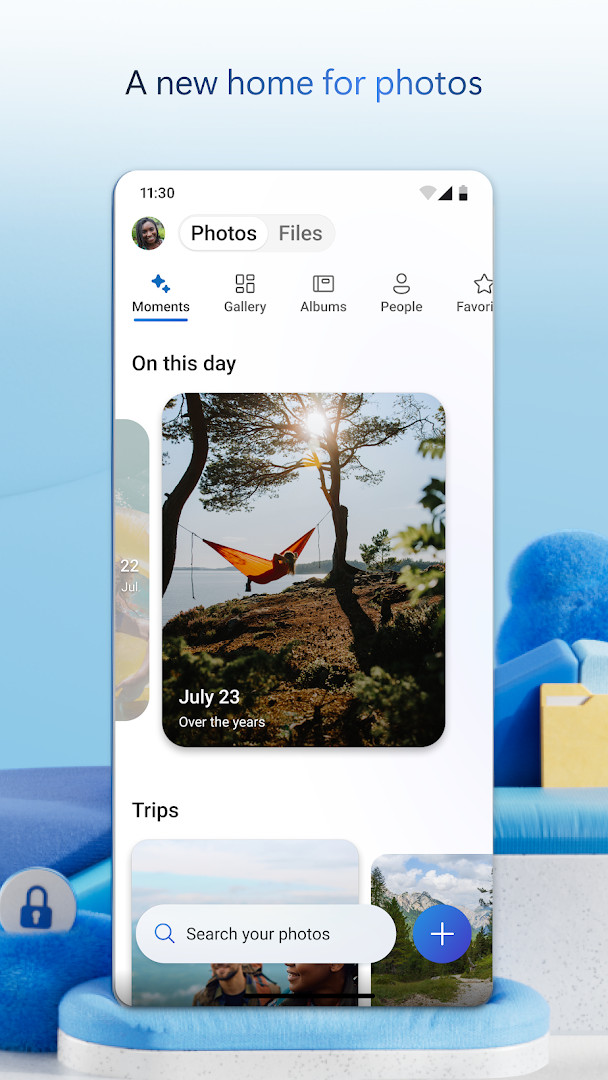
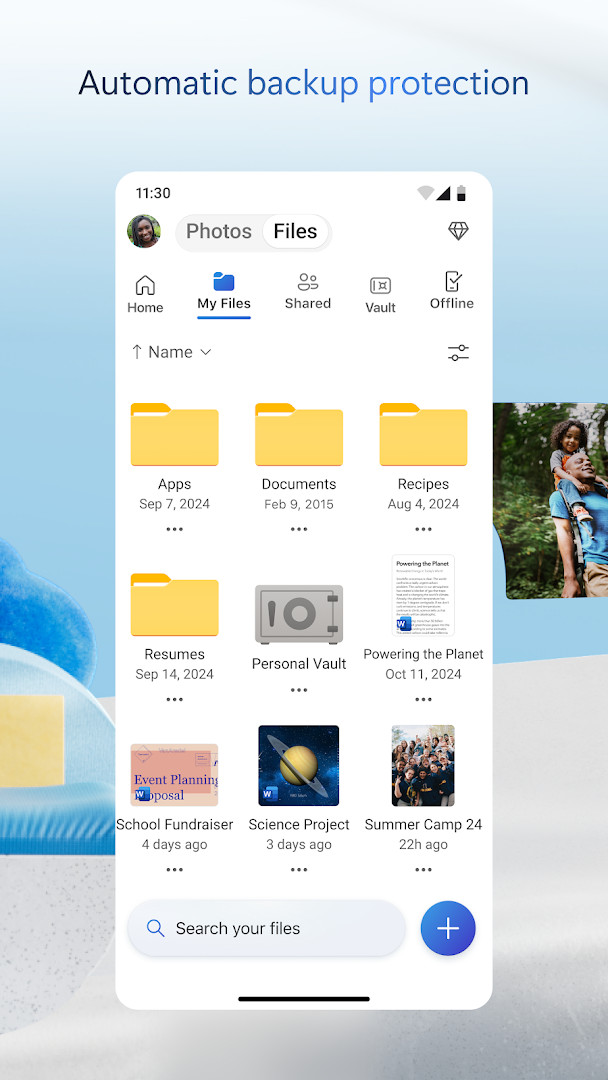
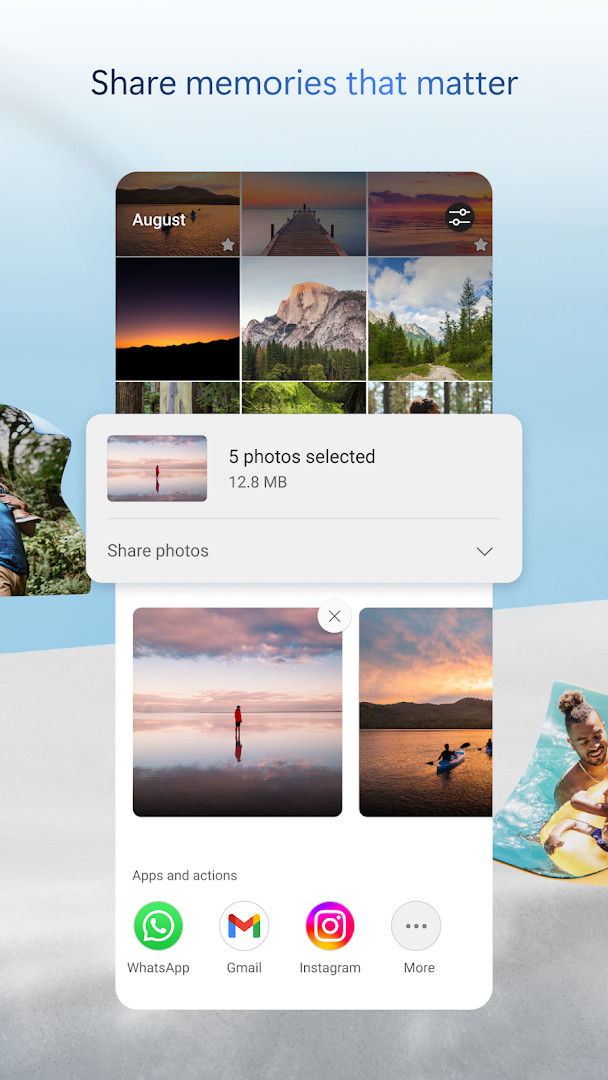

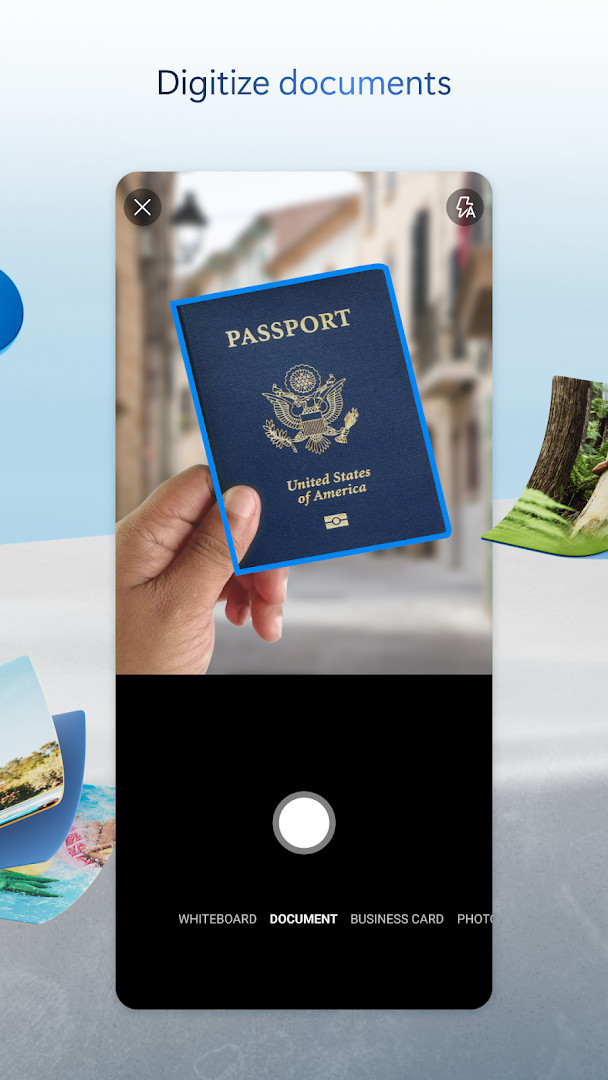
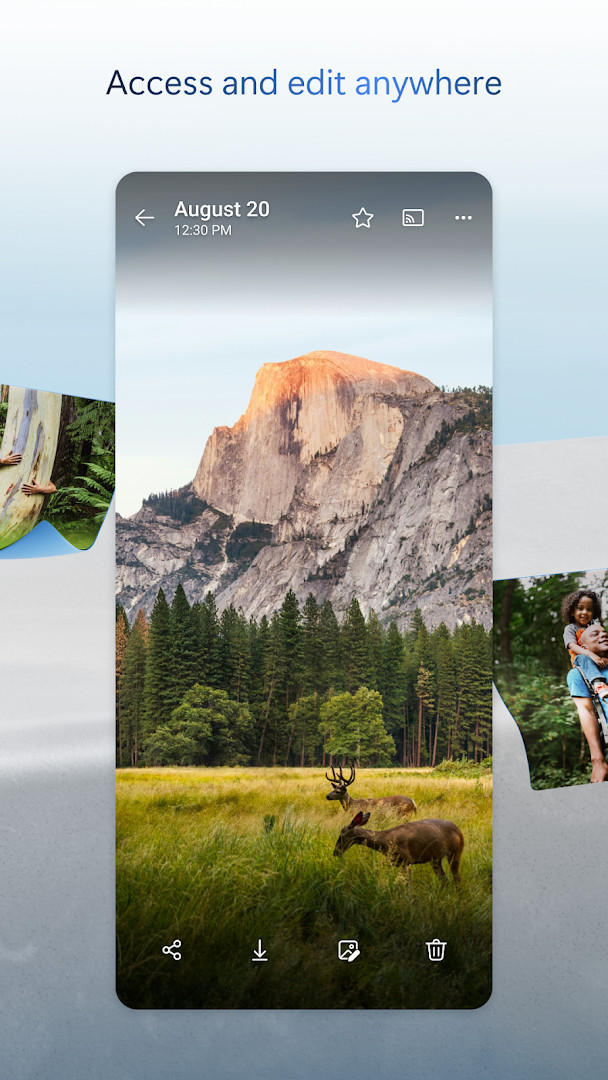
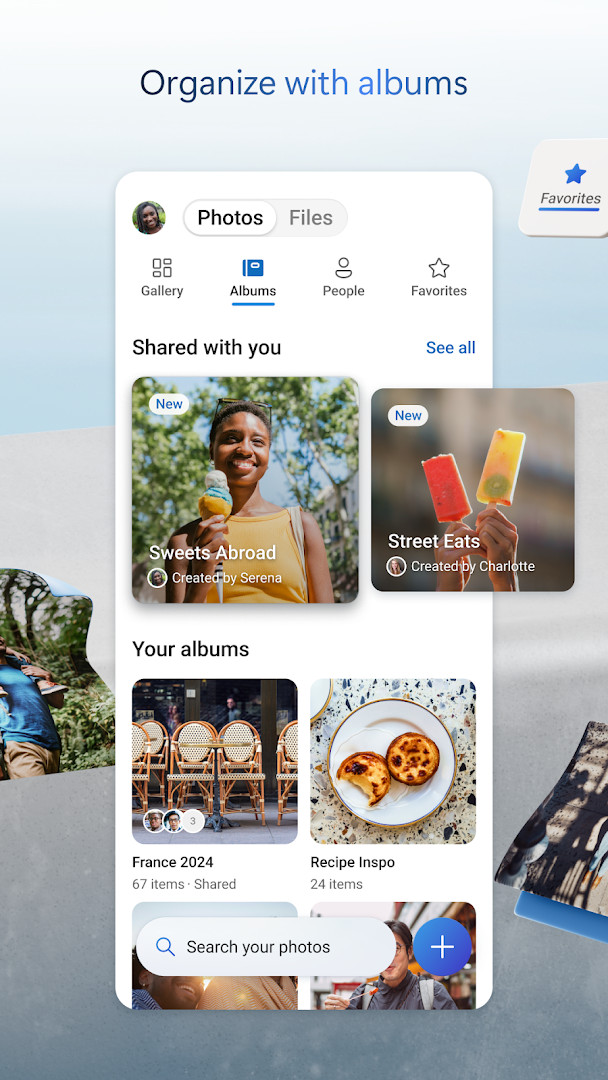
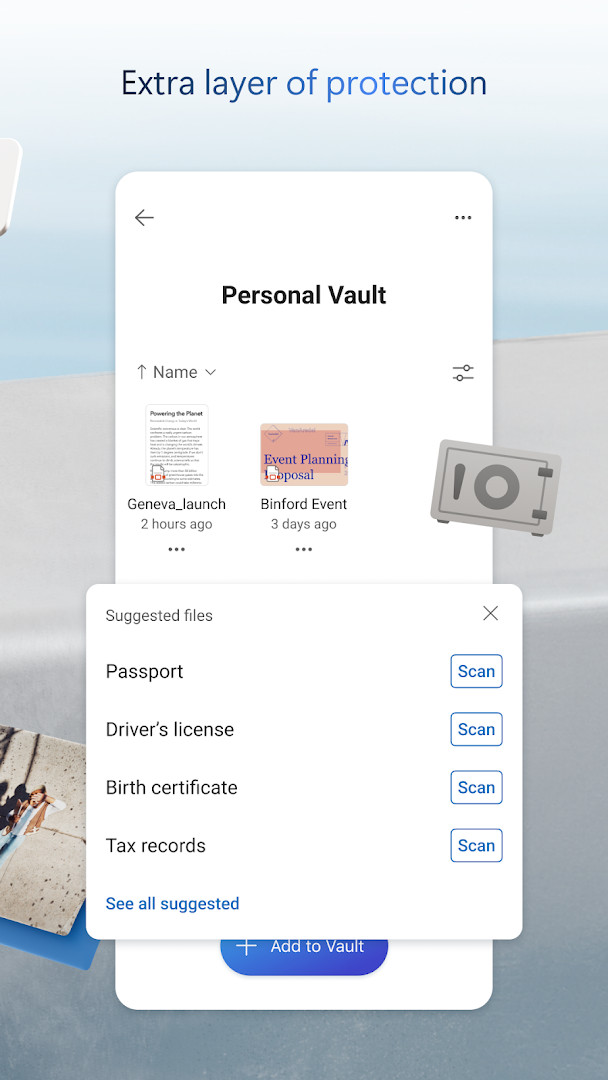
Microsoft OneDrive is a cloud storage and file synchronization app by Microsoft Corporation that keeps your photos, videos, and documents backed up, protected, and accessible across devices. It offers 5 GB of free storage upon sign-up, with optional paid plans via Microsoft 365 that expand capacity to 1 TB per user. The app is designed to serve as a central hub for personal and work files, letting you access, share, and manage content from your Android device, even when you're offline.
Beyond simple storage, OneDrive integrates tightly with Microsoft Office apps, enabling real-time collaboration on Word, Excel, PowerPoint, and OneNote files. You can also scan documents, sign and markup PDFs, and search for photos by their visual content—like 'beach' or 'snow'—or search docs by name and text. The app includes security features such as encryption at rest and in transit, a Personal Vault for identity-verified protection, version history, and optional ransomware detection for subscribers. Camera Upload automatically backs up your photos and videos, and a new Memories tab organizes them by themes like trips or seasons.
The latest update, version 7.57 (released October 2026), adds the ability to scan up to 50 pages in a single session and improves photo organization by showing the best shot as the cover for photos taken at the same place. It also fixes issues with camera backup uploading files from the wrong folder and repeated memory notifications. The app is free to download, contains no ads, but offers in-app purchases for Microsoft 365 subscriptions, which start at $6.99 per month in the U.S. and renew automatically unless canceled.
Key features
- 5 GB free cloud storage, expandable via Microsoft 365 subscriptions
- Camera Upload for automatic backup of photos and videos
- Access selected files offline
- Secure photo locker with automatic tagging and encrypted storage
- Share files, photos, videos, and albums with friends and family
- Real-time collaboration on Office documents (Word, Excel, PowerPoint, OneNote)
- Document scanning with sign, markup, and send capabilities
- Search photos by visual content and docs by name or content
- Personal Vault with identity-verified protection
- Version history to restore previous file versions
How to install
- Tap the download button on this page to get the APK file (size: 104 MB).
- When Android prompts, allow your browser or file manager to install apps by enabling the 'Install unknown apps' setting for that app.
- Open the downloaded APK file from your notifications or Downloads folder.
- Tap 'Install' when the installer screen appears.
- Wait for the installation to complete—this may take a minute.
- Open the app from your app drawer or home screen and sign in with your Microsoft account.
Pros
- Generous free storage tier at 5 GB
- Seamless integration with Microsoft Office apps
- Automatic photo and video backup via Camera Upload
- Strong security features including encryption and Personal Vault
- Offline access to selected files
- No ads in the app
Cons
- Many advanced features require a Microsoft 365 subscription
- Free storage is limited compared to some competitors
- In-app purchases can lead to unexpected subscription charges if not managed
- Permissions required may be extensive (contacts, microphone, etc.)
- Some features like ransomware detection are not available on the free tier
Latest changes
This update introduces a Memories tab that organizes photos by theme, such as trips, seasons, and people, and lets you scan up to 50 pages in one session. It also improves photo covers by selecting the best shot from a location, fixes an issue where camera backup could upload from the wrong folder, and prevents repeated memory notifications for the same photos. General performance and bug fixes are included.
Older versions
| Version | Size | Requires Android | Updated |
|---|---|---|---|
| 7.57 | 101 MB | 8.0 | Oct 12, 2026 |
| 7.65 (Beta 29) | 102 MB | 8.0 | Oct 9, 2026 |
| 7.64.2 | 107 MB | 8.0 | Oct 6, 2026 |
| 7.52 | 105 MB | 8.0 | Oct 5, 2026 |
| 7.60 | 103 MB | 8.0 | Oct 5, 2026 |
| 7.58.1 | 102 MB | 8.0 | Oct 4, 2026 |
| 7.59 | 102 MB | 8.0 | Oct 1, 2026 |
| 7.66 (Beta 30) | 104 MB | 8.0 | Oct 1, 2026 |
| 7.61 | 104 MB | 8.0 | Oct 1, 2026 |
| 7.62.1 | 104 MB | 8.0 | Oct 1, 2026 |
This app is ideal for individuals who already use Microsoft services like Outlook or Office and want a unified cloud storage solution. It also suits photography enthusiasts who need automatic backup for their photo libraries, and professionals who require offline access and real-time collaboration on documents.
To maximize your free storage, enable Camera Upload to back up photos automatically, and periodically review your OneDrive storage usage in the app to see which files you can free up or move to a paid plan only if needed.
Permissions
FAQ
Can I access my OneDrive files on my phone if I don't have an internet connection?
Yes, you can. The app allows you to mark selected files for offline access so you can view them without an internet connection.
How can I quickly find vacation photos from last year in the app?
You can try the Memories tab, which automatically groups your photos by themes like trips, seasons, and people. You can also search photos by what’s in them, such as “beach” or “snow.”
What additional features do I get with a Microsoft 365 subscription on OneDrive?
A Microsoft 365 subscription unlocks premium features, including 1 TB of storage per user, ransomware detection and recovery, premium sharing links, and the ability to use Copilot for summarizing documents and organizing files.
How can I add extra protection for sensitive files I store in OneDrive?
The app includes Personal Vault, which requires identity verification to access. You can also set sharing links to be password-protected or have an expiration date.
What is the maximum number of pages I can scan into OneDrive at once?
The latest update increased the scanning limit to 50 pages in a single session. You can also sign, markup, and send documents directly from the mobile app.
Microsoft OneDrive is a reliable and feature-rich cloud storage app that shines for those invested in the Microsoft ecosystem. While the free tier is modest, the robust security, offline access, and Office integration make it a solid choice for personal and professional use. The subscription model may not suit everyone, but the app itself performs well and is worth trying for its core backup and sharing capabilities.
Similar apps





Updated: Oct 19, 2026
| Version | Size | Requires Android | Updated |
|---|---|---|---|
| 7.57 | 101 MB | 8.0 | Oct 12, 2026 |
| 7.65 (Beta 29) | 102 MB | 8.0 | Oct 9, 2026 |
| 7.64.2 | 107 MB | 8.0 | Oct 6, 2026 |
| 7.52 | 105 MB | 8.0 | Oct 5, 2026 |
| 7.60 | 103 MB | 8.0 | Oct 5, 2026 |
| 7.58.1 | 102 MB | 8.0 | Oct 4, 2026 |
| 7.59 | 102 MB | 8.0 | Oct 1, 2026 |
| 7.66 (Beta 30) | 104 MB | 8.0 | Oct 1, 2026 |
| 7.61 | 104 MB | 8.0 | Oct 1, 2026 |
| 7.62.1 | 104 MB | 8.0 | Oct 1, 2026 |
- Size
- 104 MB
- Requires Android
- 8.0
- Updated
- Oct 9, 2026
- Installs
- 5B+
- Rating
- ★ 4.62 (7,367,490)
- Category
- Productivity
- Developer
- Microsoft Corporation
- Content rating
- Everyone
- Package
- com.microsoft.skydrive
- Free
- ✓ · In-app purchases