
CapCut - Video Editor
CapCut - Video Editor is a free video editing app from Bytedance Pte. Ltd. for creating and refining videos on Android.
CapCut - Video Editor suits beginners and advanced users who want to trim, split, merge, and enhance clips with effects, filters, and music. It is free with no ads and offers in-app purchases, requires Android 6.0 or higher, and has been installed over 1 billion times. The app supports keyframe animation, auto captions, text-to-speech, background removal, and 4K 60fps export.
Screenshots
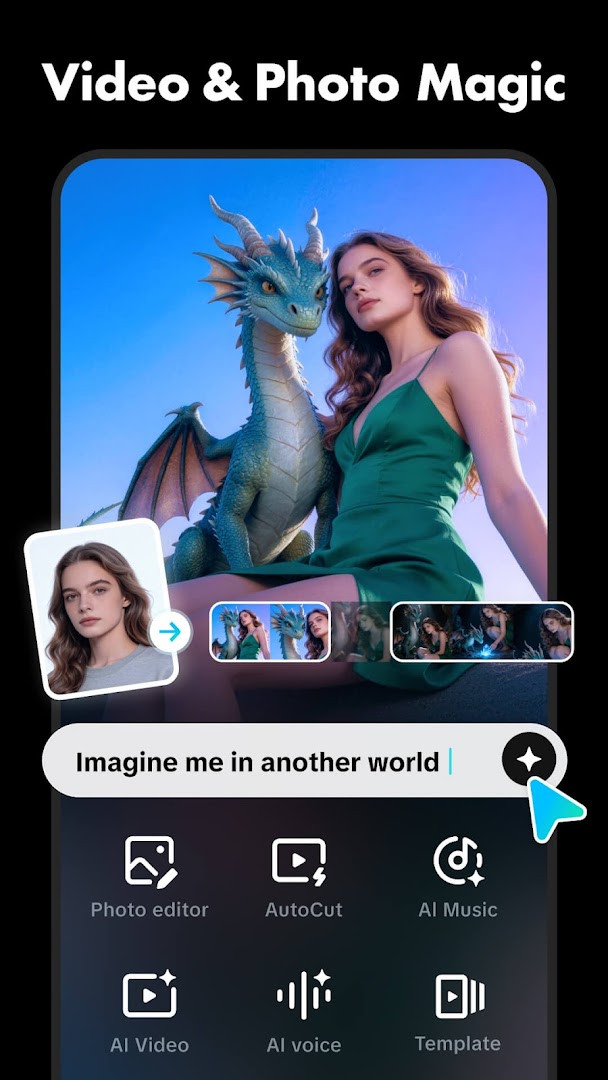
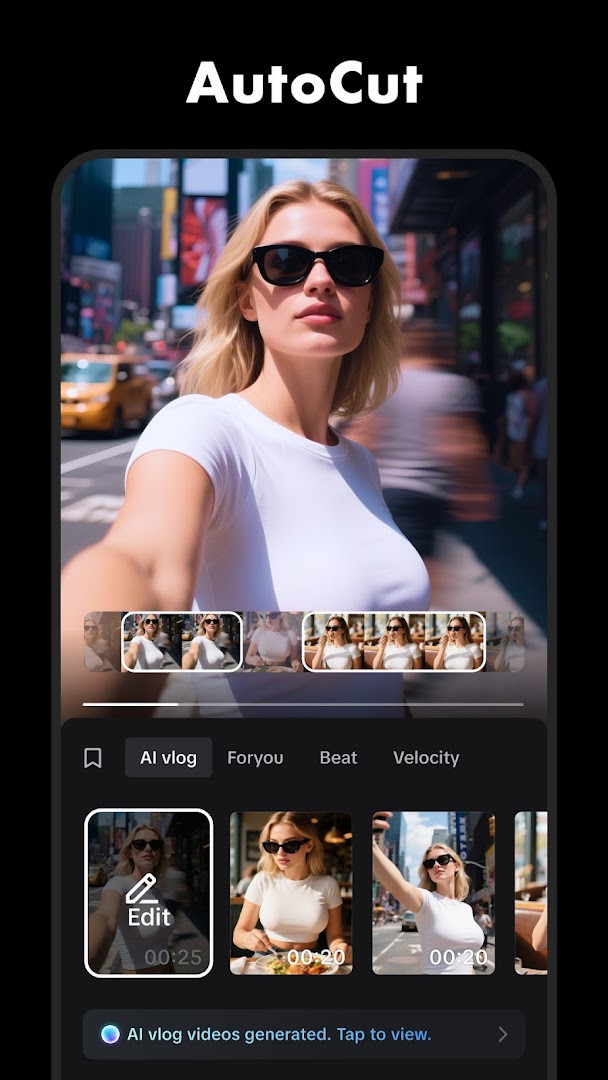
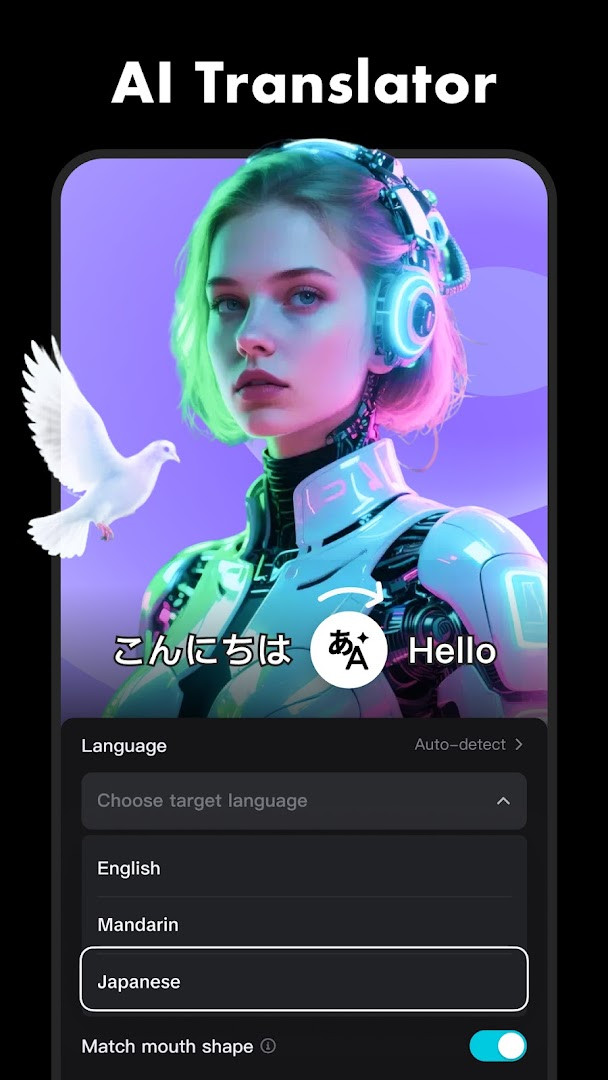
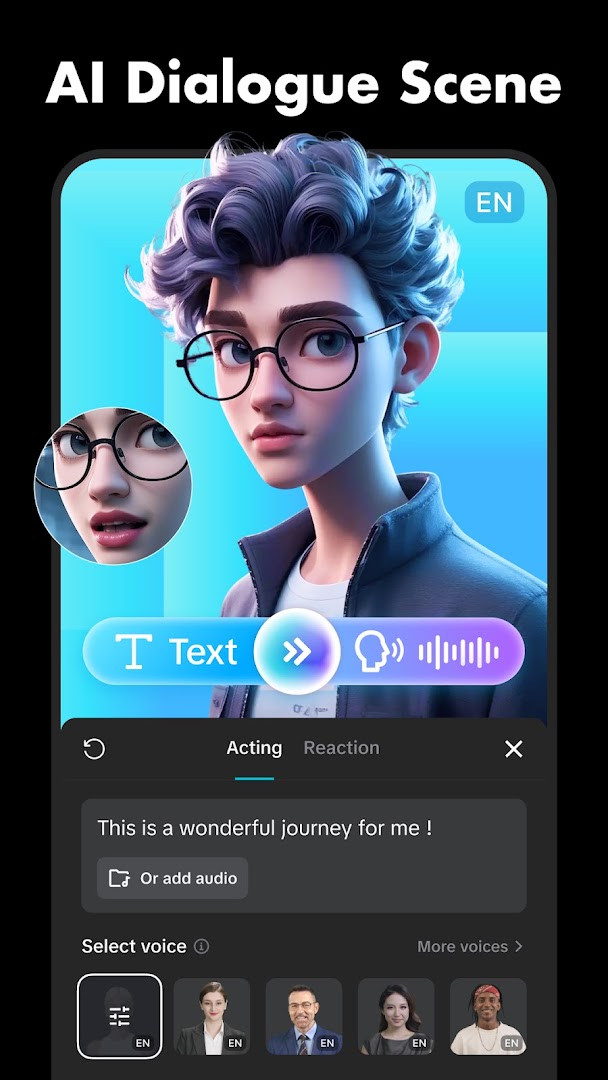
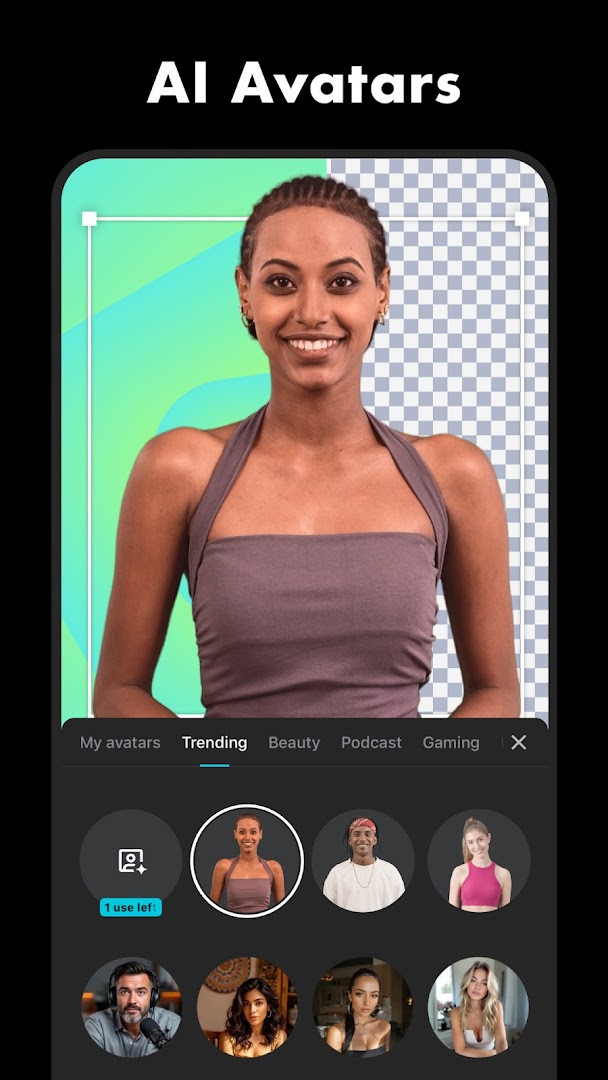
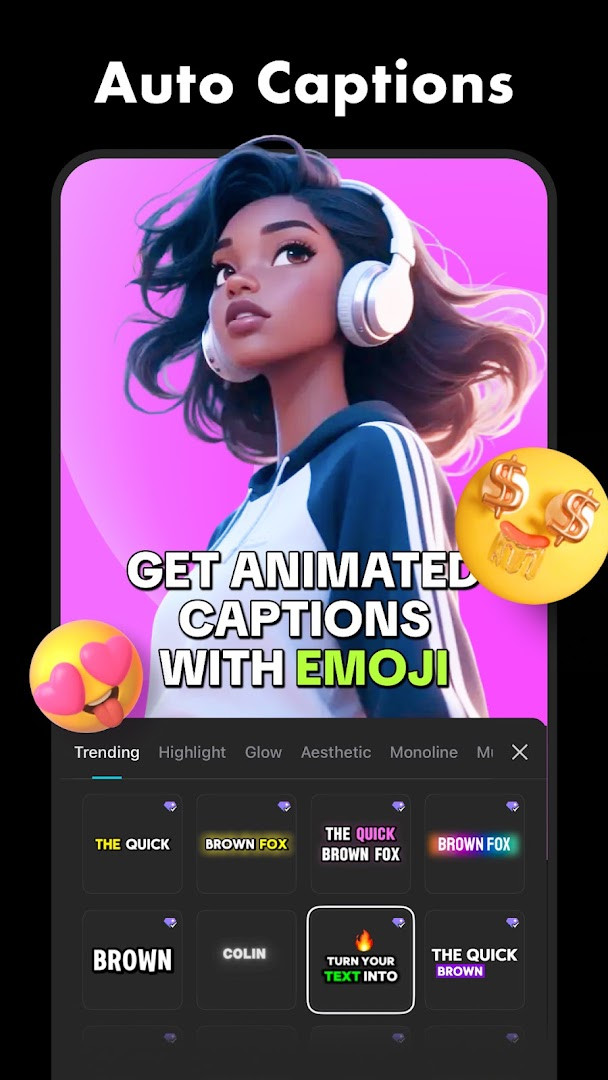
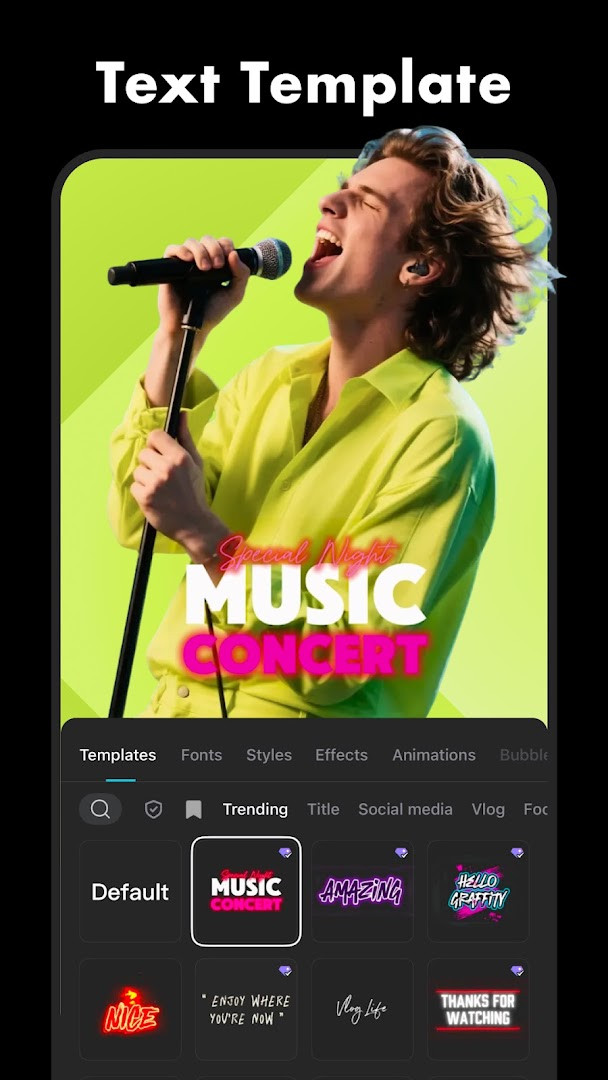
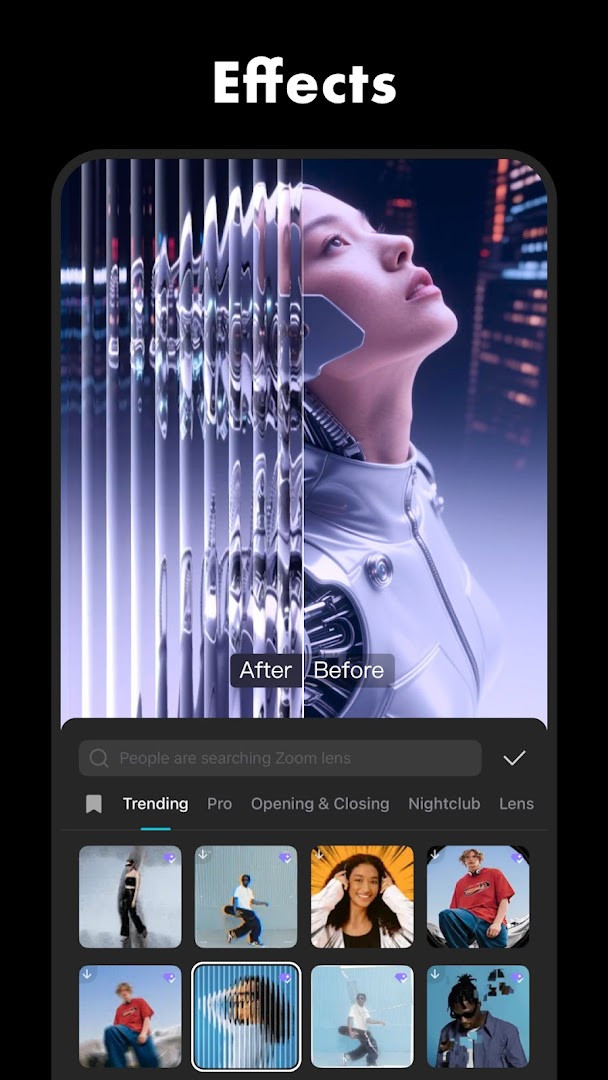
CapCut - Video Editor is a video editing application by Bytedance Pte. Ltd. that provides a comprehensive suite of tools for assembling, refining, and enhancing video clips directly on a mobile device. Originally released in April 2020, the app has grown into a full-featured editor that balances beginner-friendly shortcuts with deep controls for more demanding projects. The interface centers on a multi-track timeline where users can trim, split, merge, and rearrange footage, while overlays for text, stickers, and effects sit on separate layers for independent adjustment. Audio work is equally integrated, offering background music, sound effects, voice recording, and the ability to extract sound from existing clips, all within the same linear workflow. Beyond the basics, the app includes intelligent features such as auto captions that transcribe speech, text-to-speech in multiple languages, and automatic background removal. Motion tools like keyframe animation and optical-flow slow motion give experienced editors precise control over movement and pacing. The most recent version, 20.2.0, focuses on polishing the trimming experience and resolving known issues, which suggests a continued emphasis on making the core editing flow smoother rather than introducing headline new capabilities. With support for 4K 60fps exports and smart HDR, the app also serves as a practical tool for producing high-resolution content ready for social platforms.
Key features
- Trim, split, merge, and adjust clip speed from 0.1x to 100x with speed curves
- Keyframe animation available for all settings, enabling gradual changes to position, scale, and opacity
- Optical flow and speed curve tools for smooth slow-motion effects
- Chroma key to remove specific colors and a stabilizing feature to steady footage
- Auto captions via speech recognition, plus text-to-speech in multiple languages and voices
- Background removal that automatically isolates subjects
- Text and sticker overlays with importable local fonts, adjustable subtitles on the timeline
- Hundreds of trending effects and weekly-updated filters, including Glitch, Blur, and 3D
- Millions of music clips and sound effects, with audio extraction from videos
- Custom export resolution up to 4K 60fps with smart HDR support
How to install
- Tap the download button on this page to obtain the APK file; the file size is not specified in the available data.
- When Android prompts, allow your browser or file manager to install apps by enabling the 'Install unknown apps' setting for that source.
- Open the downloaded APK file from your notifications or file manager.
- Tap Install and wait for the process to complete; the app requires Android 6.0 or higher.
- Once installed, open CapCut from your app drawer or the installation confirmation screen.
Pros
- Comprehensive editing toolkit that covers basic cuts through advanced keyframing and chroma key
- Intelligent automation like captions and background removal reduces manual effort
- High export quality at 4K 60fps with smart HDR
- Regular updates, with version 20.2.0 improving the trimming experience and fixing bugs
- Free to use with no ads, though in-app purchases are available
Cons
- Requires access to many permissions including camera, microphone, and storage, which may raise privacy concerns
- The sheer number of features can be overwhelming for absolute beginners despite claims of ease
- In-app purchases may be needed for certain advanced assets or capabilities
Latest changes · 20.2.0
This update resolves several known issues and enhances the trimming experience, making it smoother and more precise when cutting clips. The developer thanks users for their ongoing support and looks forward to helping them create memorable videos together.
Older versions
| Version | Size | Requires Android | Updated |
|---|---|---|---|
| 20.2.0 | — | 6.0 | Nov 18, 2026 |
| 20.1.0 | — | 6.0 | Nov 16, 2026 |
| 19.7.0 | 306 MB | 6.0 | Oct 8, 2026 |
| 19.6.0 | 305 MB | 6.0 | Sep 19, 2026 |
| 19.5.0 | 304 MB | 6.0 | Sep 13, 2026 |
| 999.999.45 | 0.2 MB | 4.4 | Mar 13, 2026 |
This app suits social media creators who regularly produce short-form videos for platforms like TikTok, YouTube, Instagram, or WhatsApp and need quick yet powerful editing tools. It also fits hobbyist videographers who want to experiment with keyframe animation, speed curves, and chroma key without investing in desktop software. Finally, content repurposers who frequently add captions, background music, or voiceovers will find the automated features particularly useful.
For smoother slow-motion results, apply the optical flow feature in combination with a speed curve rather than just lowering the clip speed, as this interpolates frames to reduce jitter.
Permissions
FAQ
Is CapCut free to download and use?
Yes, CapCut is free to download and use. It does include optional in-app purchases, but the core editing features are available without any upfront cost.
What Android version do I need to run CapCut?
CapCut requires Android 6.0 or higher. This covers the vast majority of modern Android devices.
Do I need an account to use CapCut?
An account is not strictly required for basic editing, but some features like saving projects to the cloud or accessing certain content may prompt you to sign in. You can start editing right away without one.
What permissions does CapCut request?
CapCut requests access to your calendar, photos and media files, storage, camera, microphone, and Wi-Fi connection information. These are used for importing media, recording audio, and managing your projects.
How do I update CapCut?
To update, simply download the newest version available on this page and install it over your current one. Your projects and settings are typically preserved during the update.
CapCut delivers a rare combination of depth and accessibility, offering everything from one-tap trimming to keyframe-driven animation in a single free package. While the permission footprint and feature density may not suit everyone, its continuous updates and polished export options make it a strong choice for mobile video editing. For users willing to explore its advanced tools, it stands as a capable alternative to more limited editors.
Similar apps







Updated: Nov 19, 2026
| Version | Size | Requires Android | Updated |
|---|---|---|---|
| 20.2.0 | — | 6.0 | Nov 18, 2026 |
| 20.1.0 | — | 6.0 | Nov 16, 2026 |
| 19.7.0 | 306 MB | 6.0 | Oct 8, 2026 |
| 19.6.0 | 305 MB | 6.0 | Sep 19, 2026 |
| 19.5.0 | 304 MB | 6.0 | Sep 13, 2026 |
| 999.999.45 | 0.2 MB | 4.4 | Mar 13, 2026 |
- Version
- 20.2.0
- Requires Android
- 6.0
- Updated
- Nov 18, 2026
- Installs
- 1B+
- Rating
- ★ 3.55 (13,179,790)
- Category
- Entertainment
- Developer
- Bytedance Pte. Ltd.
- Content rating
- Teen
- Package
- com.lemon.lvoverseas
- Free
- ✓ · In-app purchases