
SeatGeek – Tickets to Events: Event Ticket Marketplace
SeatGeek – Tickets to Events is an event ticket marketplace by SeatGeek that lets users buy and sell tickets to sports, concerts, theater, festivals, and comedy events.
SeatGeek – Tickets to Events is a free event ticket marketplace from SeatGeek, offering interactive seating charts with panoramic views and a color-coded Deal Score to compare value. It is designed for people attending or reselling tickets to live events like NFL, NBA, NHL, MLB, MLS games, concerts, festivals, and Broadway shows.
Screenshots
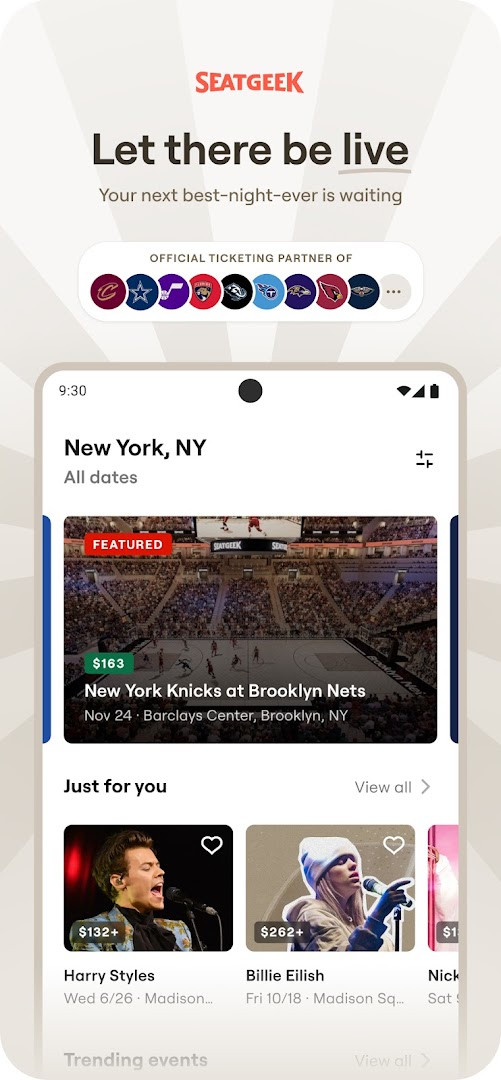
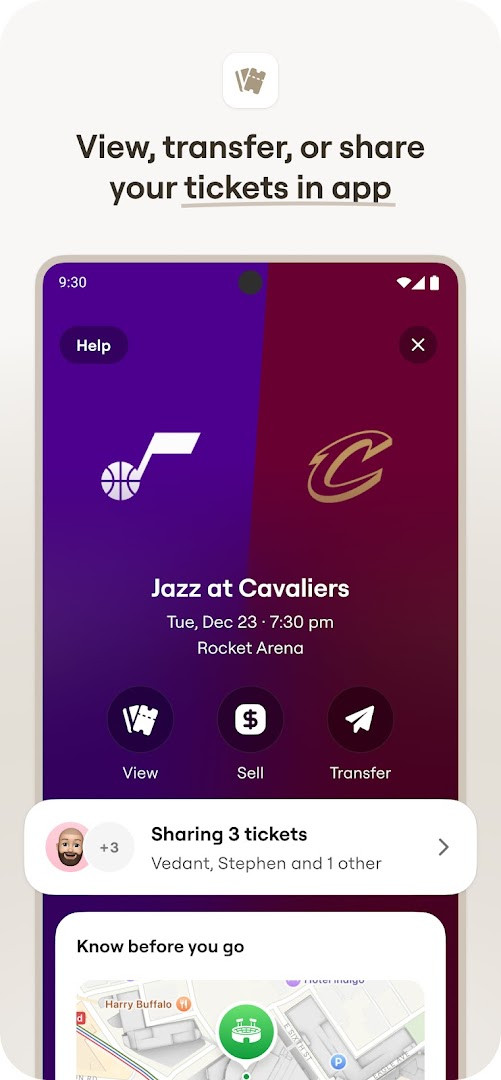
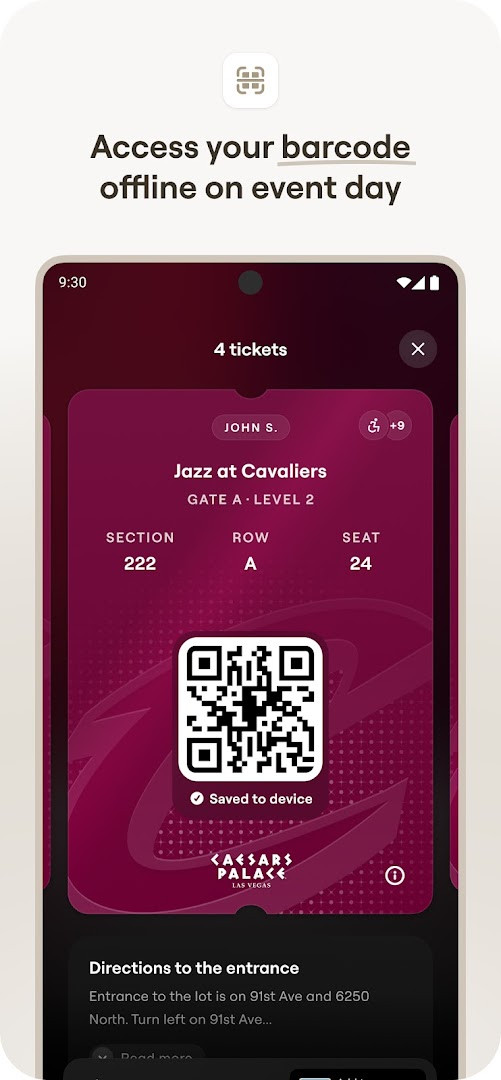
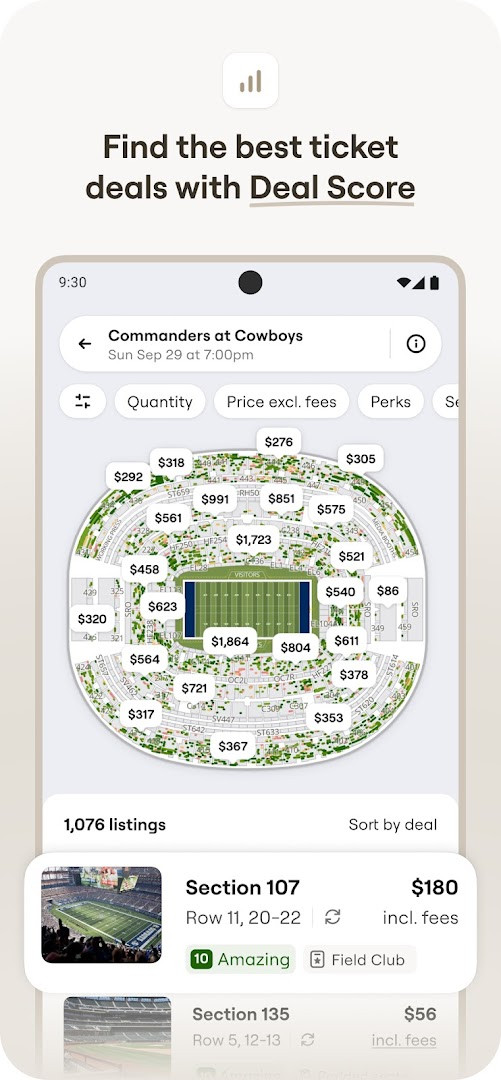
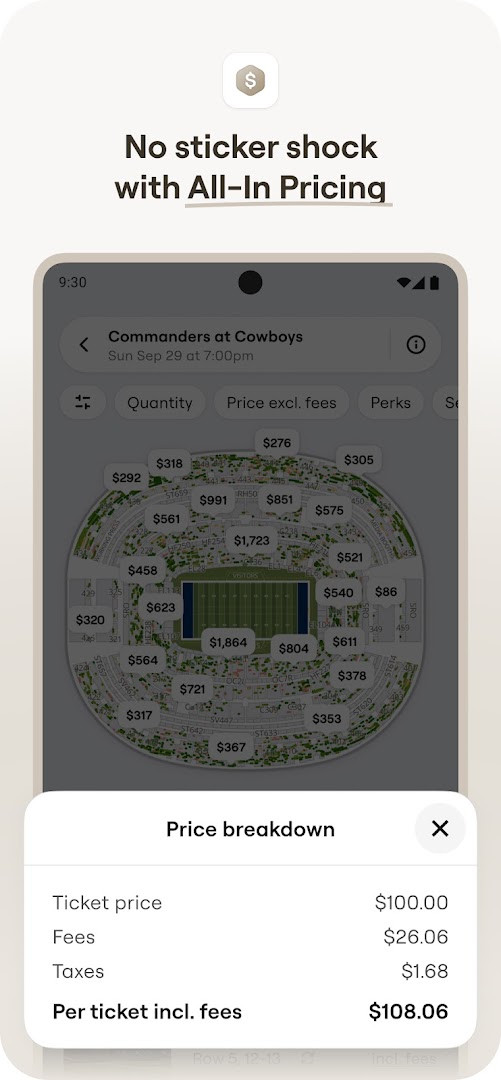
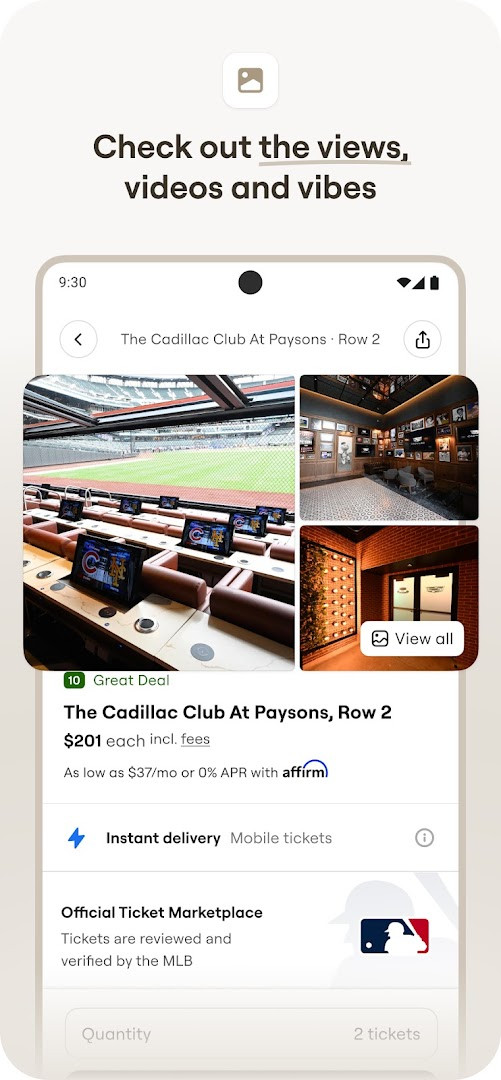
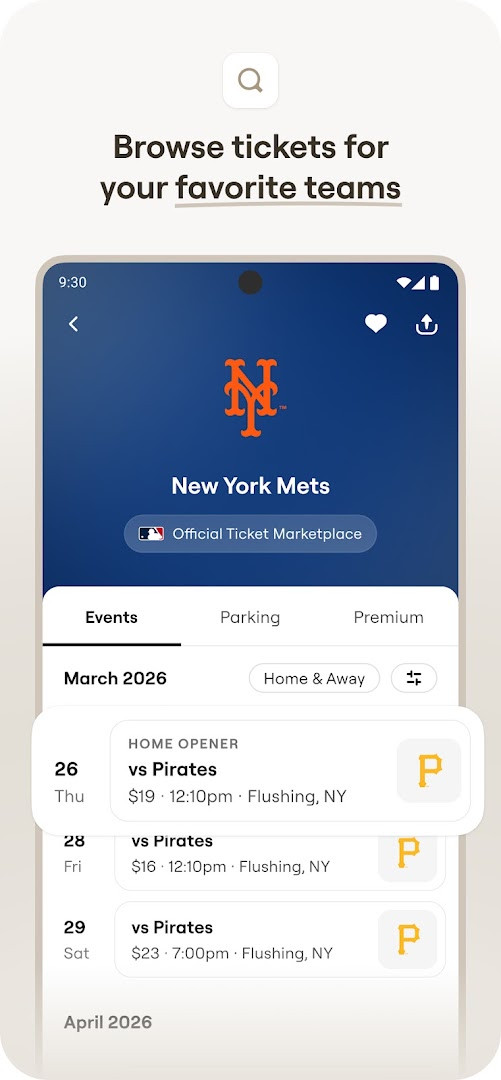
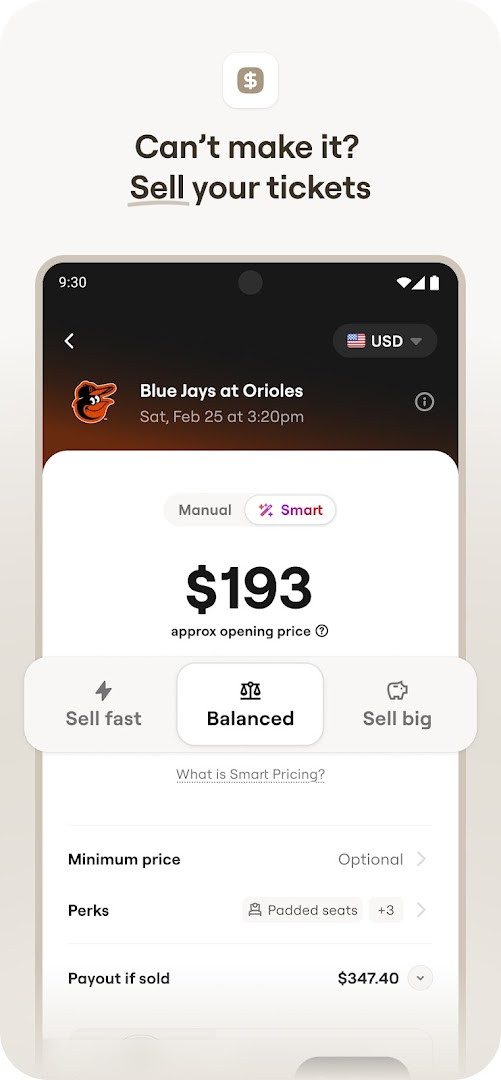
SeatGeek – Tickets to Events is an events and ticketing application by SeatGeek that lets users buy and resell tickets to sports, concerts, theater, festivals, and comedy shows. The app addresses the common problems of overpaying and buying without seeing the venue: interactive seating charts with panoramic photos from each section show the actual view before purchase, while a color-coded Deal Score ranks listings from best to worst value so users can compare quickly. For sellers, it provides a streamlined resale flow with recommended pricing. Mobile tickets appear directly in the app, eliminating printed tickets. The current version is 2026.47.0, updated on November 16, 2026, and requires Android 10 or newer. It is free, has no ads and no in-app purchases, and holds a 4.46 rating from roughly 45,734 reviews. Privacy-minded users should note that the app requests several permissions, including Contacts, Location, Photos/Media/Files, Storage, Camera, and Wi-Fi connection information, so it is wise to review those before installing.
Key features
- Interactive seating charts with panoramic photos from every section let you preview the view before buying.
- Deal Score color-codes each listing from best to worst based on value, helping you avoid overpaying.
- Mobile tickets can be shown directly in the app at the venue, with no printer needed.
- Send extra tickets to friends' phones in one tap, either for free or for a fee, within the US.
- Sell tickets you cannot use by listing them quickly; the app recommends a price to help sell faster.
- Search for upcoming events by team, artist, venue, genre, or sport to discover tickets near you.
- Pay conveniently with Google Pay or a credit card.
- The Daily Tap lets you enter up to once a day for a chance to win free tickets to nearby events.
How to install
- Tap the download button on this page to obtain the APK file.
- When Android prompts you, allow your browser or file manager to install apps by enabling the Install unknown apps setting.
- Open the downloaded APK file, typically found in your Downloads folder.
- Tap Install and confirm any system prompts that appear.
- Open the app and sign in or create an account. Note that the file size is n/a and the minimum supported Android version is 10.
Pros
- Free to download with no ads and no in-app purchases.
- Tickets are backed by a 100% buyer guarantee.
- Deal Score provides a quick, visual way to judge ticket value.
- Seat previews with panoramic photos reduce the risk of a poor view.
- Selling unused tickets is straightforward, with suggested pricing.
- Mobile entry and one-tap ticket transfers are convenient.
Cons
- Requests a broad set of permissions, including Contacts, Location, Camera, Storage, and Photos/Media/Files, which may be more than some users expect from a ticketing app.
- Location and Wi-Fi connection information access may warrant extra caution for privacy-conscious users.
- Sending tickets to friends can carry a fee in certain cases, and the feature is limited to the US.
- Payment options are only listed as Google Pay and credit card.
Latest changes · 2026.47.0
The latest update, version 2026.47.0, focuses on improving app speed and reliability so you can get to live events more quickly and with fewer hiccups. These performance enhancements aim to make browsing and buying tickets a smoother experience overall.
Older versions
| Version | Size | Requires Android | Updated |
|---|---|---|---|
| 2026.47.0 | — | 10 | Nov 16, 2026 |
| 2026.46.0 | — | 10 | Nov 9, 2026 |
| 2026.45.0 | 102 MB | 10 | Nov 2, 2026 |
| 2026.44.0 | 102 MB | 10 | Oct 27, 2026 |
| 2026.43.0 | 102 MB | 10 | Oct 20, 2026 |
| 2026.42.0 | 115 MB | 10 | Oct 16, 2026 |
| 2026.37.0 | 129 MB | 10 | Oct 10, 2026 |
| 2026.41.1 | 115 MB | 10 | Oct 9, 2026 |
| 2026.40.0 | 111 MB | 10 | Oct 1, 2026 |
| 2026.39.0 | 111 MB | 10 | Sep 24, 2026 |
SeatGeek is best for people who regularly attend live events such as sports games, concerts, theater shows, and festivals and want a single app to search, compare, buy, and resell tickets. It also suits sellers who need to offload unused tickets quickly and prefer a suggested price. Because the app requests access to contacts, location, camera, storage, and Wi-Fi information, it is most appropriate for users who are comfortable granting those permissions and are willing to manage them through the system settings if they want more control over their privacy.
At first launch, review each permission request and deny anything you do not need; you can often adjust access later in Android settings. Use the Deal Score and the panoramic seat photos together before committing to a purchase. If you plan to resell, compare the app's suggested price with current listings. On event day, open your mobile ticket in advance while you have a stable connection.
Permissions
FAQ
What does the Deal Score tell me before I buy?
Every ticket listing in the app is color-coded from best to worst based on value, so you can compare deals at a glance and focus on the ones that offer the most for your money.
Can I send my extra tickets to friends' phones?
Yes, you can send extra tickets to your friends' phones with a single tap, for free or for a fee, and this option is available for users in the US.
How do I sell tickets I can no longer use?
You can list your tickets on the SeatGeek Marketplace in one tap, and the app will recommend the best price to help you sell them quickly.
What is The Daily Tap and what does it offer?
The Daily Tap lets you enter up to once a day for a chance to win free tickets to live events near you.
What purchase protection does SeatGeek mention?
Tickets are backed by SeatGeek's 100% buyer guarantee, and resellers may list tickets above or below face value.
Overall, SeatGeek combines ticket buying, selling, and venue entry in one ad-free app with useful tools like Deal Score and seat previews. The trade-off is a fairly wide permission set, so it works best for users who accept that level of access in exchange for convenience.
Similar apps
 Fever: Events & TicketsFever Labs4.7
 Invitation Maker: Cards & RSVPGreetings Island4.8
 Easy Quran Mp3 Audio OfflineMuslim Worldapp4.7
 Invitation card Maker, DesignSplendid App Maker4.9
 TickPick - Live Event TicketsTickPick LLC4.8
 Gametime - Last Minute TicketsGametime4.8
 Invitation Maker: RSVP CardsPhoto Studio & Picture Editor Lab4.9
Updated: Nov 20, 2026
| Version | Size | Requires Android | Updated |
|---|---|---|---|
| 2026.47.0 | — | 10 | Nov 16, 2026 |
| 2026.46.0 | — | 10 | Nov 9, 2026 |
| 2026.45.0 | 102 MB | 10 | Nov 2, 2026 |
| 2026.44.0 | 102 MB | 10 | Oct 27, 2026 |
| 2026.43.0 | 102 MB | 10 | Oct 20, 2026 |
| 2026.42.0 | 115 MB | 10 | Oct 16, 2026 |
| 2026.37.0 | 129 MB | 10 | Oct 10, 2026 |
| 2026.41.1 | 115 MB | 10 | Oct 9, 2026 |
| 2026.40.0 | 111 MB | 10 | Oct 1, 2026 |
| 2026.39.0 | 111 MB | 10 | Sep 24, 2026 |
- Version
- 2026.47.0
- Requires Android
- 10
- Updated
- Nov 16, 2026
- Installs
- 5M+
- Rating
- ★ 4.46 (45,734)
- Category
- Events
- Developer
- SeatGeek
- Content rating
- Everyone
- Package
- com.seatgeek.android
- Free
- ✓