
AI Gallery for Android
AI Gallery is a photography app from Transsion Holdings for organizing, editing, and cleaning up photos on Android devices.
AI Gallery is for Android users who want a fast, ad-free way to manage their photo collections. The app offers album classification, multi-template puzzles, picture editing, and photo cleanup that removes dark, blurry, or duplicate images.
Screenshots
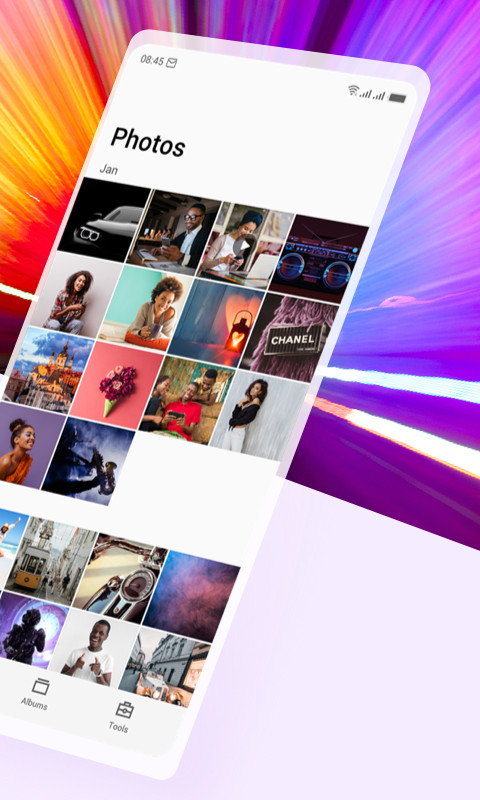
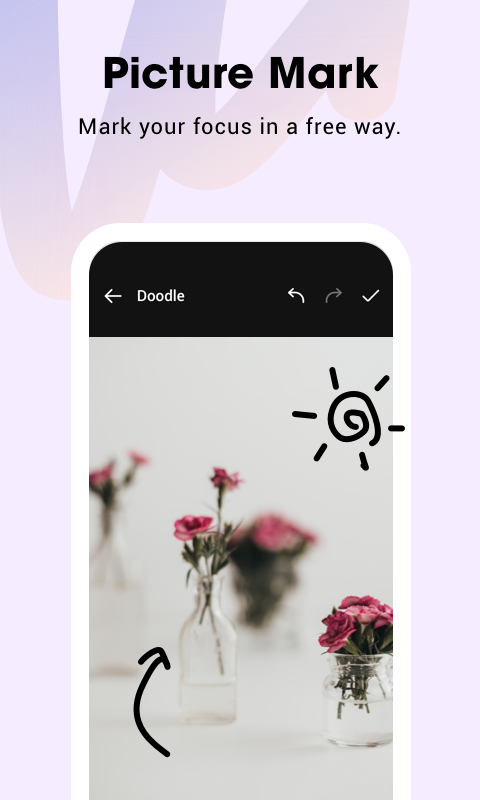
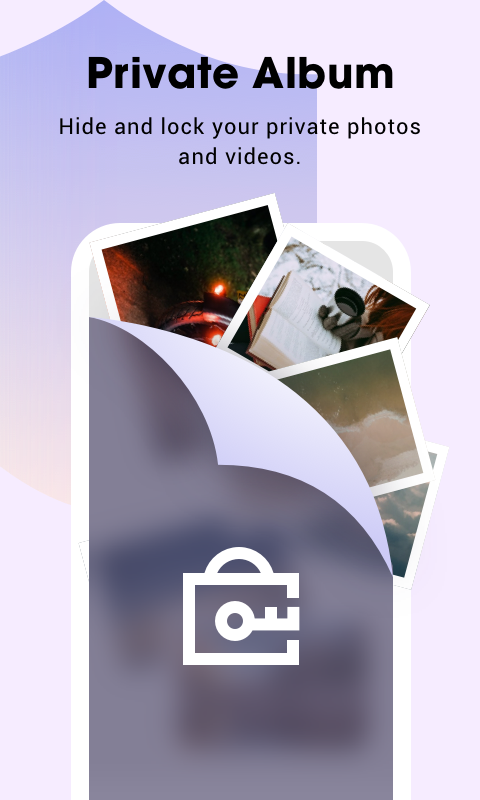

AI Gallery is a photography and gallery management app by Transsion Holdings that organizes, edits, and cleans up photos on Android devices. It aims to be simple, fast, and free of ads, giving you a straightforward way to browse, sort, and refine your image collection without clutter or interruptions. The app is built around a reorganized homepage that makes frequently needed photos easy to reach, along with efficient album classification that keeps your library tidy. Beyond basic viewing, it offers a full editing suite, multi-template puzzles, photo compression, and cleanup tools that target dark, blurry, or duplicate images. Version 15.0.3.054, released in June 2025, introduces a new user interface design and adds two notable capabilities: lossless picture compression using an advanced algorithm, and private albums that can be password-protected—though the private album feature is only available on Tecno and Infinix phones. The update also brings a picture marking tool that lets you annotate images, add mosaics, and crop freely, plus a redesigned About page. With an install base of around half a billion devices, the app has been updated regularly since its 2019 debut, and the current build requires Android 12 or higher and occupies about 166 MB.
Key features
- Reorganized homepage for quick photo selection
- Efficient album classification with orderly sorting
- Multi-template puzzle layouts for custom photo collages
- Complete picture editing tools including crop, mark, and mosaic
- Photo cleanup to remove dark, blurry, or duplicate images
- HD lossless compression to free up storage space
- Dark mode for comfortable viewing at night
- Picture slideshow and gesture-based zoom
- Easy sharing to social media and other apps
- Option to set any picture as wallpaper and view photo/video details
How to install
- Tap the download button on this page to get the APK file, which is about 166 MB in size.
- When Android prompts you, allow your browser or file manager to install apps by enabling the “Install unknown apps” setting for that source.
- Open the downloaded APK file from your notifications or file manager.
- Tap Install and wait for the installation to finish.
- Open the app from your home screen or app drawer. Note that the app requires Android 12 (minimum OS version) to run properly.
Pros
- No ads, keeping the experience clean and uninterrupted
- Fast and lightweight design that focuses on simplicity
- Useful cleanup tools for removing unwanted photos
- Lossless compression helps save storage without quality loss
- Dark mode and slideshow enhance everyday usability
Cons
- Private album feature works only on Tecno and Infinix phones
- Requires Android 12 or newer, which excludes older devices
- Large APK size of 166 MB may be a concern for limited storage
Latest changes · 15.0.3.054
AI Gallery version 15.0.3.054, released on June 4, 2025, introduces a refreshed UI design and two notable additions. The new picture compression feature uses an advanced algorithm to reduce storage usage without sacrificing quality. Private albums let you password-protect selected photos, though this option is available only on Tecno and Infinix devices. The update also includes a picture marking tool for adding mosaics and free cropping, along with a new About page.
Older versions
| Version | Size | Requires Android | Updated |
|---|---|---|---|
| 15.0.3.054 | 166 MB | 12 | Jun 4, 2025 |
| 5.6.1.045 | 77 MB | 12 | Jul 28, 2024 |
| 5.5.0.022 | 74 MB | 8.0 | Jan 24, 2024 |
AI Gallery suits casual smartphone users who want an ad-free, straightforward gallery app; photography hobbyists who need editing, compression, and cleanup tools; and Tecno or Infinix owners looking to take advantage of the private album feature.
If you have limited storage, run the photo cleanup tool first to remove duplicates and blurry images, then use the compression feature on remaining pictures to maximize space savings.
Permissions
FAQ
What does the compression tool added in the latest UI refresh claim to do?
Version 15.0.3.054 introduces a picture compress feature that uses an advanced algorithm to lower the memory space pictures take up without quality loss, helping you keep more storage on your phone.
Which phones actually get the password-protected private album option?
According to the update notes, the private album feature, which lets you hide pictures behind a password, is only provided on Tecno and Infinix phones.
What kinds of unwanted photos can the cleanup function remove?
The photo cleanup tool can clear away photos that are too dark, blurry, or duplicated, so they stop occupying space on your device.
What are the app size and minimum Android version requirements?
The app is 166 MB in size and requires Android 12 or later to run.
Besides standard editing, what marking and cropping options does the gallery provide?
The Picture Mark feature lets you freely draw on pictures, apply mosaics, and crop them as you like, alongside multi-template puzzle layouts and other complete editing tools.
AI Gallery delivers a fast, ad-free gallery experience with a strong set of organizational and editing tools, and the latest version adds useful compression and marking features. The private album limitation to Tecno and Infinix devices and the Android 12 requirement are notable constraints, but for most users on compatible phones, it is a reliable and practical choice for managing photos.
Similar apps





More from this developer


Updated: Nov 10, 2026
| Version | Size | Requires Android | Updated |
|---|---|---|---|
| 15.0.3.054 | 166 MB | 12 | Jun 4, 2025 |
| 5.6.1.045 | 77 MB | 12 | Jul 28, 2024 |
| 5.5.0.022 | 74 MB | 8.0 | Jan 24, 2024 |
- Version
- 15.0.3.054
- Size
- 166 MB
- Requires Android
- 12
- Updated
- Jun 4, 2025
- Installs
- 500M+
- Rating
- ★ 3.47 (34)
- Category
- Photography
- Developer
- Transsion Holdings
- Content rating
- Everyone
- Package
- com.gallery20
- Free
- ✓