
News Suite by Sony for Android
News Suite by Sony is a news aggregator from Sony Group Corporation for reading current affairs and personalized feeds in one place.
News Suite by Sony is aimed at readers who want to avoid checking many separate sites and apps for updates. It organizes articles from thousands of feeds into a News tab for general current affairs and a My Feeds tab for personalized topics.
Screenshots
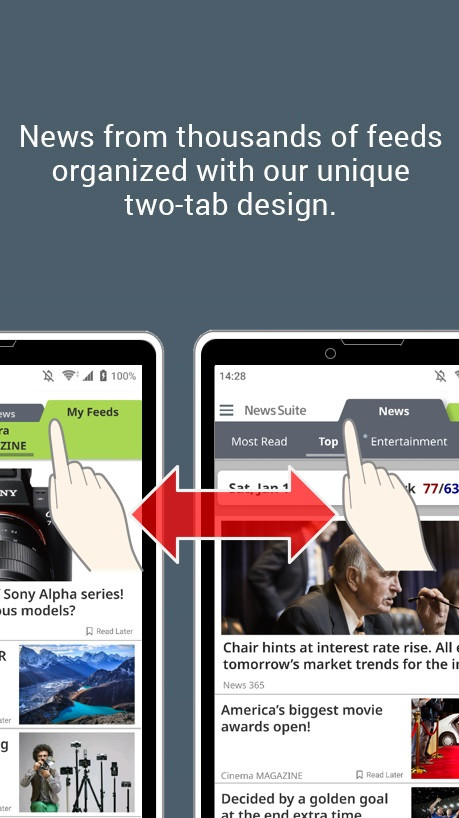
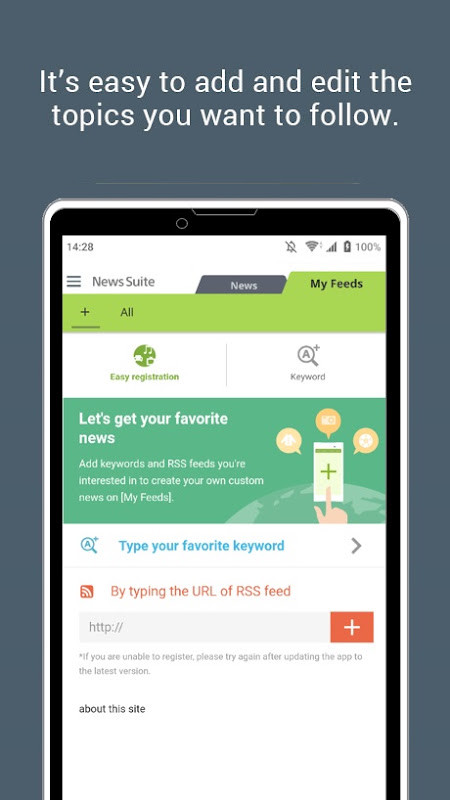
News Suite by Sony is a news aggregator app by Sony Group Corporation that consolidates articles from thousands of feeds into two distinct tabs for efficient reading. It addresses the problem of needing to visit multiple websites or apps to stay informed by organizing content into a “News” tab for general current affairs and a “My Feeds” tab for personalized topics. The app pulls from popular publications, ensuring a steady stream of quality content. With a two-tab interface, users can quickly switch between curated headlines and their own interests. It also includes push notifications, a scheduled news feature, bookmarking, and sharing options. Originally released in 2012, the app has been updated through August 2026, with the latest version improving performance and fixing bugs. It requires Android 10 or later and occupies 42 MB, making it suitable for users who want a comprehensive, customizable news experience on their mobile device.
Key features
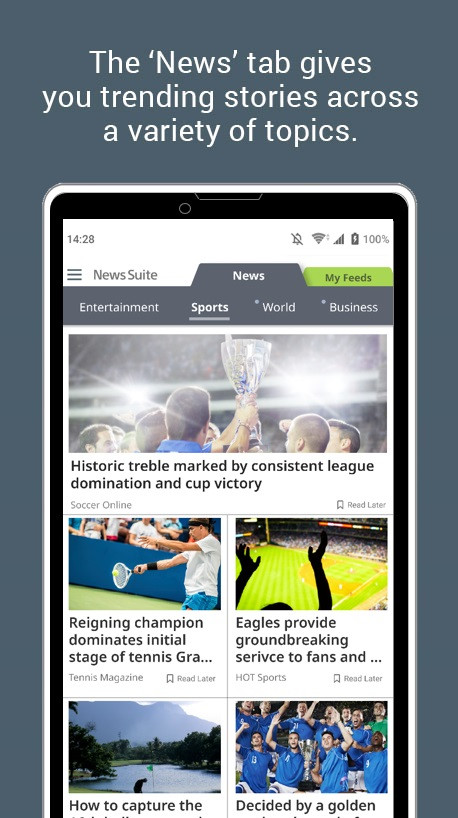
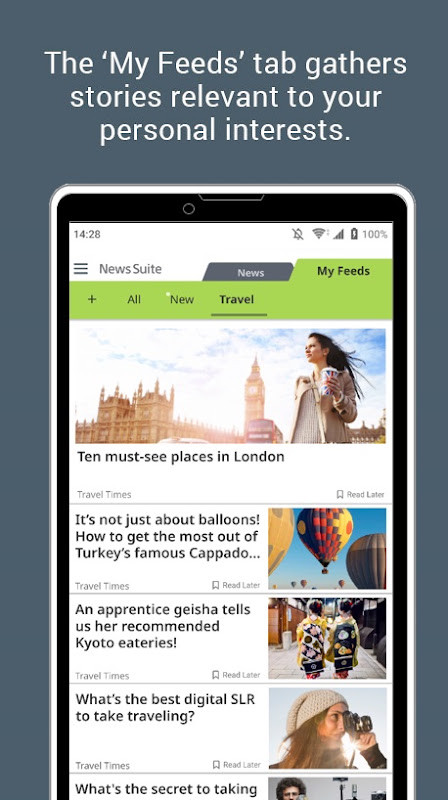
- Two-tab design: 'News' tab covers general categories like General News, Entertainment, Sports, and Food; 'My Feeds' tab shows articles based on your chosen topics.
- Aggregates content from thousands of feeds, partnering with popular publications for a wide range of articles.
- Push notifications for breaking news as it develops, with an option to enable or disable them.
- 'Scheduled News' feature lets you set periodic push notifications for specific topics.
- Save articles to a bookmarks list for later reading.
- Share stories easily on Facebook and X (formerly Twitter).
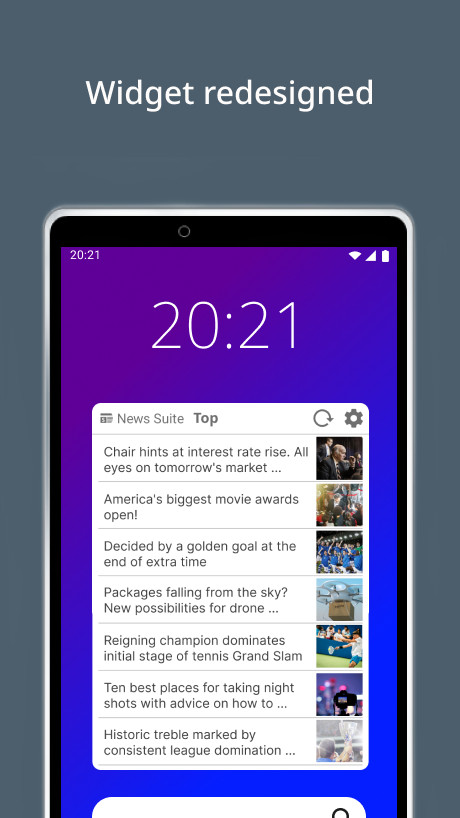
- Customizable widget that can be added to the home screen, with adjustable categories such as Sports, Entertainment, and Most Read.
How to install
- Tap the download button on this page to get the APK file (42 MB).
- When Android prompts, allow your browser or file manager to install apps by enabling the 'Install unknown apps' setting.
- Open the downloaded APK file from your notification bar or file manager.
- Tap 'Install' and wait for the process to complete.
- Open the app from your app drawer or home screen. Note that the app requires Android 10 or later.
Pros
- Two-tab layout separates general news from personalized feeds, reducing clutter.
- Scheduled News provides periodic updates for chosen topics, useful for staying on top of specific interests.
- Bookmarking and sharing to social platforms streamline content management.
- Home screen widget offers quick access to categories.
- No in-app purchases, making it a free news solution.
Cons
- Displays ads, which may interrupt the reading experience.
- Requires location and Wi-Fi connection information permissions, which could be a privacy concern for some users.
- Changing the region setting resets the app, deleting registered feeds and bookmarks.
- Push notifications might be frequent if not customized properly.
What's New
The widget was redesigned. You can now change article categories to options like Sports, Entertainment, or Most Read, and add it from the home screen. The rest of the app description covers existing features: organizing feeds into News and My Feeds tabs, push and scheduled notifications, bookmarks, and sharing. A separate update note mentions performance improvements and bug fixes.
Versions
| Version | Size | Requires Android | Updated |
|---|---|---|---|
| 5.6.10.30.2 | 42 MB | 10 | 22.09.2026 |
| 5.5.09.30.1 | 21 MB | 8.0 | 10.09.2026 |
| 5.2.37.30 | 16 MB | 5.1 | 06.09.2026 |
| 5.0.48.30.2 | 8.4 MB | 4.1 | 05.09.2026 |
| 5.4.12.31 | 18 MB | 7.0 | 02.09.2026 |
| 5.3.16.30.1 | 14 MB | 6.0 | 27.08.2026 |
| 5.6.11.30.1 | 42 MB | 10 | 27.08.2026 |
| 5.6.09.30.1 | 42 MB | 10 | 24.06.2026 |
| 5.6.05.30.2 | 42 MB | 10 | 04.04.2026 |
This app suits experienced Android users who want a single, customizable news hub. It appeals to those who follow both broad current events and niche interests, appreciate the ability to schedule news alerts, and prefer a free app with no in-app purchases despite the presence of ads. Users who value a two-tab workflow and quick sharing to social networks will find it practical, but those sensitive to location permissions or who dislike ads may need to weigh those aspects.
To change the news region, go to your device's Apps & notifications, find News Suite, select Storage & Cache, and clear storage—but note this deletes all saved feeds and bookmarks. After restarting, choose 'Terms of service' on the start screen to select your desired language and region. For notification control, access Settings > Notifications from the upper-right menu to adjust timings and topics.
Permissions
FAQ
Is this app free?
Yes, News Suite is completely free to download and use. It does include advertisements but has no in-app purchases.
What are the system requirements and file size?
The app requires a device running Android 10 or a newer version. The APK file size is approximately 42 MB.
Do I need to create an account?
You do not need an account to browse news, but personalization features like bookmarks and customized feeds work best when you allow the app to learn your interests. The app may request access to your location and Wi‑Fi connection information to tailor content.
What permissions does the app ask for?
When you install the app, it may request permission to access your device’s location and to view Wi‑Fi connection details.
How do I update to the latest version?
The latest APK version available here is 5.3.16, released on August 27, 2026. To update, simply download the newest version from this page and install it over your existing app.
News Suite by Sony effectively consolidates general and personalized news into a single, free app, making it a solid choice for users who want broad coverage without juggling multiple sources. While the ads and location permission are minor drawbacks, its scheduling and bookmarking features offer practical control for a tailored news experience.
Similar Apps


Updated: 19.10.2026
| Version | Size | Requires Android | Updated |
|---|---|---|---|
| 5.6.10.30.2 | 42 MB | 10 | 22.09.2026 |
| 5.5.09.30.1 | 21 MB | 8.0 | 10.09.2026 |
| 5.2.37.30 | 16 MB | 5.1 | 06.09.2026 |
| 5.0.48.30.2 | 8.4 MB | 4.1 | 05.09.2026 |
| 5.4.12.31 | 18 MB | 7.0 | 02.09.2026 |
| 5.3.16.30.1 | 14 MB | 6.0 | 27.08.2026 |
| 5.6.11.30.1 | 42 MB | 10 | 27.08.2026 |
| 5.6.09.30.1 | 42 MB | 10 | 24.06.2026 |
| 5.6.05.30.2 | 42 MB | 10 | 04.04.2026 |
- Size
- 42 MB
- Requires Android
- 10
- Updated
- 27.08.2026
- Installs
- 100M+
- Rating
- ★ 3.96 (129 687)
- Category
- News & Magazines
- Developer
- Sony Group Corporation
- Content rating
- Everyone
- Package
- com.sony.nfx.app.sfrc
- Free
- ✓ · Contains ads